Introduction
Most companies conduct their communication with their customers via the company’s website, emails, telephone, social media channels, and web stores. As the number of customers increases, managing all communications can become quite complicated.
This is when the CRM system will come into play.
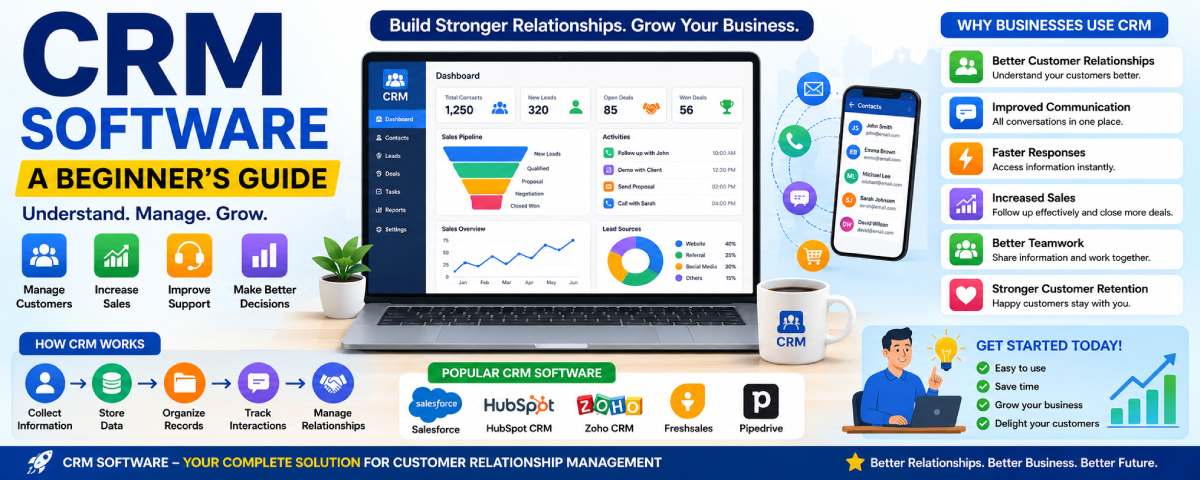
The CRM software assists in storing customer data, managing the communication process, tracking sales activities, and improving relations with customers. Rather than doing everything on paper or in spreadsheets, all customer data can be stored in one convenient application.
If you are a beginner to CRM systems, then this guide will provide you with all necessary information about CRM software – from its basics to implementation for the beginner user.
CRM basics from our what is CRM software guide.
What is CRM Software in Simple Words?
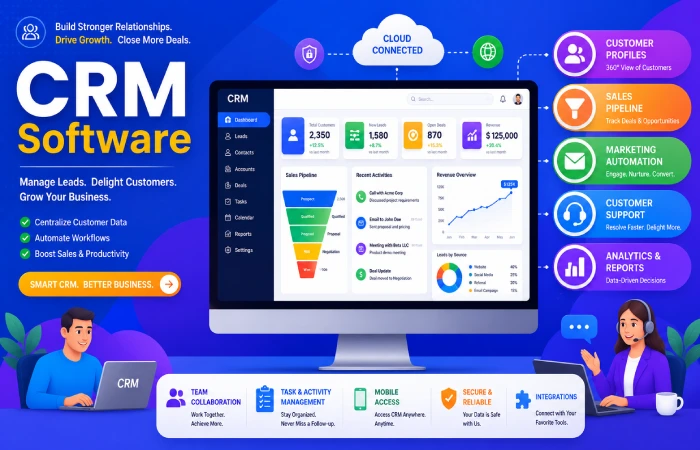
CRM is Customer Relationship Management.
CRM, according to E can be defined as software that is used by business organizations for managing customer information effectively..
Think of CRM as a digital notebook that stores:
- Customer names
- Phone numbers
- Email addresses
- Purchase history
- Support requests
- Sales conversations
Instead of searching through emails or spreadsheets, employees can find everything from one dashboard.
Simple Example
Imagine you own a small clothing store.
Every day customers:
- Send WhatsApp messages
- Call for product details
- Ask questions on Instagram
- Place online orders
Without CRM software, managing these interactions becomes confusing.
With CRM software:
- Customer information stays organized
- Conversations are easier to track
- Follow-ups become faster
- Customer service improves
CRM Software Definition and Examples
The term ‘CRM Software’ refers to a management tool for firms that enables them to manage customer relationships, sales operations, communications, and customer support.
Popular CRM Software Examples
| CRM Platform | Common Users | Best Known For |
| Salesforce | Large businesses | Advanced automation |
| HubSpot CRM | Startups | Free CRM tools |
| Zoho CRM | Small businesses | Affordable pricing |
| Freshsales | Sales teams | Lead management |
| Pipedrive | Growing businesses | Sales pipelines |
CRM Meaning Explained with a Real-Life Example
An example will make understanding of CRM easy.
Suppose a customer contacts a travel agency.
Day 1:
Customer asks about vacation packages.
Day 3:
Customer calls for pricing details.
Day 7:
Customer wants to make a booking.
Without CRM:
- Employees may forget previous conversations.
- Information can get lost.
With CRM:
- Every interaction is recorded.
- Customer history is available instantly.
- Employees can respond quickly.
This creates a better customer experience.
Why Was CRM Software Created?
Before CRM systems became popular, businesses often used:
- Paper records
- Excel spreadsheets
- Personal notebooks
- Separate email systems
As businesses grew, these methods created problems.
Common Problems Before CRM
| Problem | Result |
| Lost customer information | Missed sales opportunities |
| Slow response times | Customer dissatisfaction |
| Duplicate customer records | Confusion |
| Poor follow-ups | Lost customers |
| Lack of teamwork | Communication gaps |
CRM software was developed to solve these challenges.
How CRM Software Works
CRM software follows a simple process.
Step 1: Collect Customer Information
Customer information enters the CRM from:
- Website forms
- Email inquiries
- Phone calls
- Social media messages
- Live chat
- Online purchases
Step 2: Store Customer Data
The CRM stores:
- Name
- Contact details
- Communication history
- Purchases
- Notes
Step 3: Organize Customer Records
Information is grouped into customer profiles.
Employees can access records whenever needed.
Step 4: Track Interactions
CRM records:
- Emails
- Calls
- Meetings
- Support tickets
Step 5: Manage Relationships
Teams use customer information to:
- Follow up
- Offer support
- Close sales
- Build long-term relationships
Simple CRM Workflow
A basic CRM workflow looks like this:
Visitor → Lead → Contact → Customer → Repeat Customer
Workflow Explanation
| Stage | Meaning |
| Visitor | Visits website |
| Lead | Shows interest |
| Contact | Shares information |
| Customer | Makes purchase |
| Repeat Customer | Buys again |
CRM software tracks each stage automatically.
How Businesses Use CRM Every Day
CRM is not only for sales teams.
Different departments use CRM for different tasks.
Sales Teams
Sales teams use CRM to:
- Track leads
- Schedule follow-ups
- Manage deals
- Monitor pipelines
Marketing Teams
Marketing teams use CRM to:
- Send campaigns
- Segment audiences
- Analyze customer behavior
Customer Support Teams
Support teams use CRM to:
- Resolve complaints
- Track support tickets
- View customer history
Business Owners
Owners use CRM to:
- Monitor growth
- View reports
- Track performance
Who Should Use CRM Software?
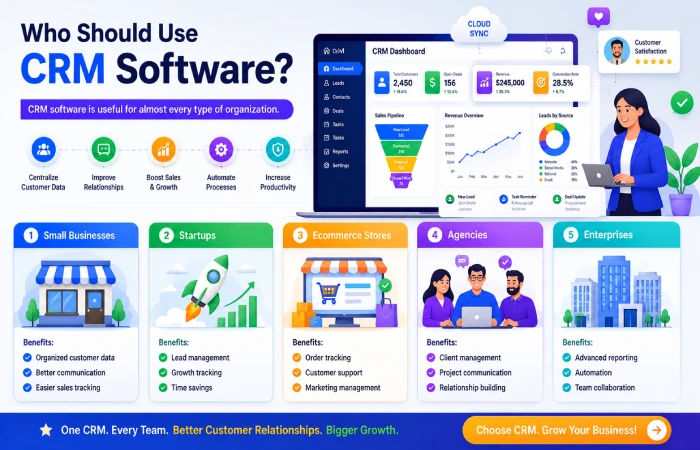
CRM software is useful for almost every type of organization.
Small Businesses
Benefits:
- Organized customer data
- Better communication
- Easier sales tracking
Startups
Benefits:
- Lead management
- Growth tracking
- Time savings
Ecommerce Stores
Benefits:
- Order tracking
- Customer support
- Marketing management
Agencies
Benefits:
- Client management
- Project communication
- Relationship building
Enterprises
Benefits:
- Advanced reporting
- Automation
- Team collaboration
Small business owners can also explore our list of the Best CRM Software for Small Business to find beginner-friendly options.
Complete CRM Software Comparison Table (2026)
| Business Type | Main CRM Need | Recommended CRM Type | Important Features | Best CRM Platforms | Difficulty Level | Budget Range |
| Freelancer | Client tracking | Operational CRM | Contact management, reminders | HubSpot CRM, Bigin | Easy | Free–Low |
| Startup | Lead management | Cloud CRM | Pipeline tracking, automation | Zoho CRM, Freshsales | Easy | Low |
| Small Business | Customer organization | Operational CRM | Sales tracking, reporting | Zoho CRM, Pipedrive | Easy | Low–Medium |
| Ecommerce Store | Customer behavior tracking | Analytical CRM | Customer segmentation, email automation | HubSpot, Salesforce | Medium | Medium |
| Real Estate Agency | Lead follow-ups | Operational CRM | Property pipeline, scheduling | Pipedrive, Zoho CRM | Easy | Medium |
| Marketing Agency | Client communication | Collaborative CRM | Task management, integrations | Monday CRM, HubSpot | Medium | Medium |
| Healthcare Business | Patient relationship management | Collaborative CRM | Appointment tracking, communication | Salesforce Health Cloud | Medium | Medium–High |
| SaaS Company | Subscription management | Analytical CRM | Customer analytics, automation | HubSpot, Salesforce | Advanced | Medium–High |
| Medium Business | Team Best collaboration | Collaborative CRM | Shared dashboards, reporting | Zoho CRM, Salesforce | Medium | Medium |
| Enterprise | Long-term best customer strategy | Strategic CRM | AI analytics, integrations, automation, | Microsoft Dynamics, Salesforce | Advanced | High |
| Retail Business | Customer good loyalty | Strategic CRM | Loyalty tracking, customer history | HubSpot, Zoho CRM | Medium | Medium |
| Financial Services | Customer trust & compliance | Strategic CRM | Secure records, reporting | Salesforce Financial Cloud | Advanced | High |
| Education Institute | Student communication | Collaborative CRM | Admission tracking, communication | HubSpot, Freshworks | Medium | Medium |
| Field Service Business | Mobile access | Operational CRM | Mobile CRM, scheduling | Freshsales, Zoho CRM | Easy | Medium |
| Hospitality Business | Guest experience | Strategic CRM | Personalization, support tracking | Salesforce, Oracle CRM | Advanced | High |
CRM Before vs After Implementation
| Business Activity | Before CRM | After CRM |
| Customer records | Scattered | Centralized |
| Follow-ups | Manual | Automated |
| Reporting | Time-consuming | Instant |
| Team communication | Difficult | Organized |
| Customer support | Slower | Faster |
This comparison shows why businesses adopt CRM systems.
Why Businesses Use CRM Software
CRM provides several important advantages.
Better Customer Relationships
Businesses understand customers better.
Improved Communication
All conversations stay organized.
Faster Responses
Employees can access information quickly.
Increased Sales
Sales teams follow up more effectively.
Better Teamwork
Departments share information easily.
Stronger Customer Retention
Businesses stay connected with customers.
To understand the full business advantages of CRM systems, read CRM Software Benefits for Businesses.
Top Reasons Companies Invest in CRM
| Reason | Benefit |
| Customer management | Better organization |
| Automation | Saves time |
| Sales growth | More conversions |
| Reporting | Better decisions |
| Customer support | Faster service |
CRM Features Beginners Should Know
Most CRM systems contain similar features.
Contact Management
Stores customer information.
Lead Management
Tracks potential customers.
Sales Pipeline
Shows deal progress.
Email Integration
Connects email communication.
Reporting
Creates business reports.
Task Management
Assigns and tracks activities.
Mobile Access
Allows access from smartphones.
Beginner-Friendly CRM Features Explained
| Feature | What It Does |
| Contact Management | Stores customer details |
| Lead Tracking | Manages prospects |
| Pipeline Management | Tracks deals |
| Reporting | Generates insights |
| Automation | Reduces manual work |
| Mobile CRM | Supports remote work |
CRM Software in Different Countries
CRM adoption continues growing globally.
United States
Common users:
- Technology companies
- Financial services
- Healthcare providers
India
Common users:
- Startups
- Ecommerce businesses
- Agencies
United Kingdom
Common users:
- Retail businesses
- Service providers
- Consulting firms
Australia
Common users:
- Small businesses
- Construction companies
- Service industries
Different businesses require different CRM systems. Next, explore the types of CRM software.
CRM Adoption Growth by Year
| Year | CRM Trend |
| 2020 | Basic cloud CRM growth |
| 2021 | Increased remote work adoption |
| 2022 | Automation expansion |
| 2023 | AI features introduced |
| 2024 | Predictive analytics growth |
| 2025 | Advanced automation |
| 2026 | AI-powered CRM systems |
Many modern platforms operate online. Learn more about Cloud Based Customer Relationship Management Software Explained in our guide.
Common Beginner Mistakes
Many first-time users make similar mistakes.
Choosing Complex Software
Start with simple CRM tools.
Ignoring Training
Employees need proper onboarding.
Entering Poor Data
Clean data improves results.
Not Using Automation
Automation saves significant time.
Expecting Instant Results
CRM success takes time.
How to Start Using CRM as a Beginner
Step 1: Define Goals
Ask:
- Why do you need CRM?
- What problems are you solving?
Step 2: Choose a Beginner-Friendly Platform
Examples:
- HubSpot CRM
- Zoho CRM
- Freshsales
Step 3: Import Customer Data
Add:
- Contacts
- Leads
- Customers
Step 4: Train Team Members
Show employees how the system works.
Step 5: Start Small
Use basic features first.
Step 6: Expand Later
Add automation and advanced tools gradually.
How CRM Has Changed Over Time
Early CRM Systems
Focused mainly on storing customer information.
Modern CRM Systems
Include:
- Automation
- Mobile access
- AI tools
- Analytics
- Predictive insights
Future CRM Systems
Expected features:
- Voice assistants
- Advanced AI
- Real-time recommendations
- Smarter automation
Features of Future CRM Systems would include voice assistants, artificial intelligence, real-time suggestions, and automation. AI in CRM Trends AI is set to be included in future CRM systems and trends because the incorporation of such technology will make CRM smarter.
CRM Terms Beginners Should Know
| CRM Term | Meaning |
| Lead | Potential customer |
| Contact | Stored customer record |
| Deal | Sales opportunity |
| Pipeline | Sales stages |
| Automation | Automatic tasks |
| Dashboard | Main CRM screen |
| Analytics | Business insights |
| Customer Journey | Customer interaction path |
Businesses often compare CRM tools with other business management systems. Read CRM Software vs ERP Software to understand the key differences.
Frequently Asked Questions
What is CRM Software?
CRM software is the kind of software that businesses use in managing their customers’ information and ensuring good customer relationships.
Why Businesses Need CRM?
The reason behind this is the fact that CRM allows businesses to effectively manage their customer information, communicate, increase sales and assist them.
Do Only Large Companies Require CRM?
No, CRM solutions are required by all types of companies.
How do you use CRM software?
CRMs collect customer details, store the database, maintain the communication, and make managing relationships much easier.
Is CRM good for customer service?
Yes, CRM can be used in customer services as customers’ history is easily accessible from the CRM by the support team.
Then review the best CRM software features.
Conclusion
Customer relationship management applications have become necessary for managing the customers, selling, communicating and supporting. Regardless of the kind of business you run, customer relationship management applications will help you organize everything related to your customers and improve your operations.
If you’re new to the world of CRM, then learning about its basics will be your first step toward improving customer management and achieving business success. With constant development in CRM software due to automation and AI, companies that learn about CRM software early have the advantage of better customer relationships and increased efficiency.
Ready to find the right CRM for you? Here’s a helpful guide on How to Choose the Right CRM Software.