

Introduction
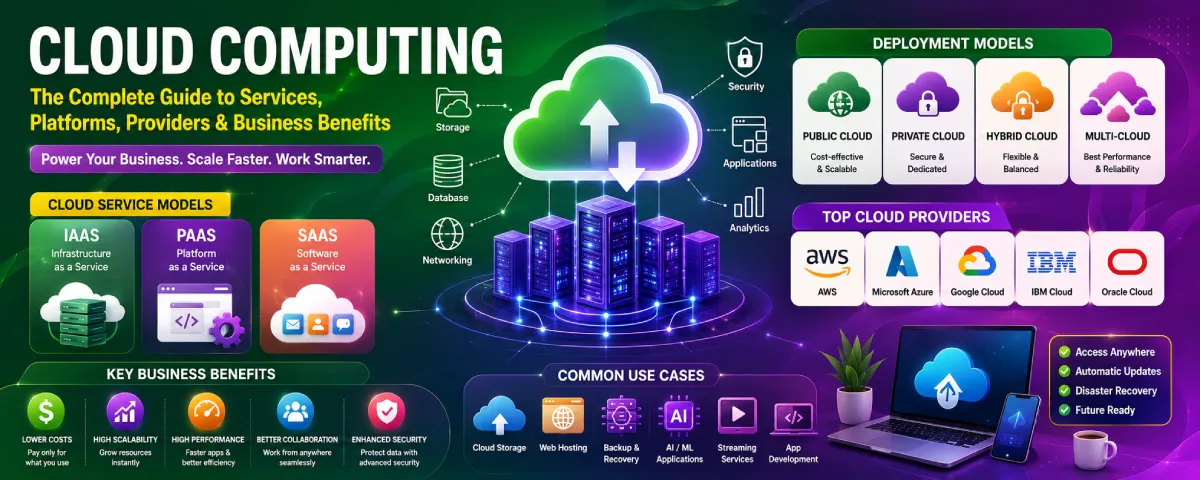
Cloud Computing The Comprehensive Guide to Services, Platforms, Cloud Providers & Business Advantages
The technology of cloud computing has revolutionized the manner in which companies manage data, execute applications, and provide digital services. Businesses no longer have to spend heavily on servers, managing them physically; instead, they need cloud computing services to use their computing capacity anytime they require it.
At present, there is no firm of any size that cannot benefit from cloud computing as far as increased productivity, lower IT expenses, facilitating remote working, and scaling up fast are concerned. Cloud computing has become an inevitable part of modern businesses whether large or small.
Here is your complete guide to cloud computing explaining all the aspects related to it.
Cloud Computing Resource Center
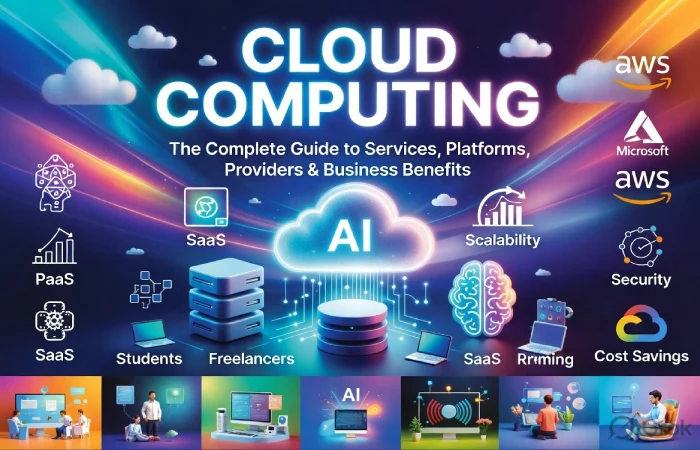
Explore our complete collection of guides covering cloud computing services, leading platforms and providers, business benefits, cloud solutions for small businesses, and the differences between edge and cloud computing.
Cloud Computing at a Glance
| Feature | Cloud Computing |
| Definition | Delivery of computing services over the internet |
| Best For | Businesses, startups, enterprises, developers |
| Main Benefits | Cost savings, scalability, flexibility |
| Deployment Models | Public, Private, Hybrid, Multi-Cloud |
| Service Models | IaaS, PaaS, SaaS |
| Common Uses | Storage, backup, AI, hosting, databases |
| Internet Required | Usually Yes |
| Initial Cost | Low |
| Scalability | High |
| Maintenance | Managed by cloud provider |
Who Should Use Cloud Computing?”
Excellent section.
| User | Benefits |
| Students | Online storage |
| Freelancers | Remote work |
| Bloggers | Website hosting |
| Developers | App deployment |
| Startups | Low infrastructure costs |
| SMBs | Affordable IT |
| Enterprises | Global scalability |
| Government | Secure digital services |
What Is Cloud Computing and How Does It Work?
Cloud computing is when you get computing services from the internet. You do not have to use your computer or servers to store and work with data. This means people and companies can use software and storage and databases and computing power on the internet whenever they want.
Cloud computing is, like getting electricity. You do not make your electricity. You just plug into the electricity system and pay for what you use. Cloud computing works the way. You do not have to buy your servers and take care of them. You pay a cloud computing company to use their computing power. You get to it from the internet.
Cloud computing services include:
- Cloud Storage. You can store your files, photos, videos and business documents online in a way.
- Virtual Servers. With servers you can run websites, applications and business systems without having to own the physical hardware.
- Databases help you store and manage your business data in a manner.
- Networking allows you to connect users, devices and applications in a way.
- Software Applications. Email, office software, CRM and accounting applications can be used here.
- Analytics are used to analyze your business data in order to make decision-making.
- Artificial Intelligence (AI). With AI you can access tools for automation, chatbots, image recognition and data analysis. AI tools can really help your business.
- Security Services. Security services protect your data with things, like encryption, backups, firewalls and identity management.
How Does Cloud Computing Work?
Cloud computing is possible by ensuring that your data and software are stored in secure servers managed by it’s firms. The firm ensures the operation and maintenance of the machinery, software, and security in order for individuals to concentrate on their role in doing what they do not want to do in regard to the computers. It is an arrangement through which people can utilize cloud computing in order to carry out activities without the concern of using the computer. Cloud computing is very useful because it helps people to utilize cloud computing without considering the computer.
Here’s how the process works:
- You access the internet via your PC, phone, or tablet.
- You make use of a cloud-based service like opening up an online document, uploading a document, or running an application.
- This request is then sent to the data centers of the cloud computing provider, where powerful servers process this data.
- Lastly, the processed data is returned to your computer in just a few seconds.
- The reason you can access this information from virtually any location through an Internet connection is because it is all stored in the cloud.
Cloud Computing Architecture”
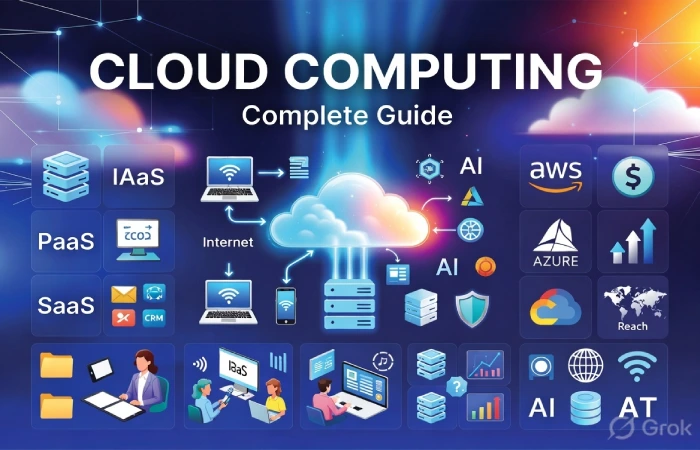
Simple diagram/table.
User
↓
Internet
↓
Cloud Platform
↓
Servers
↓
Storage
↓
Applications
Then explain each layer briefly.
Real-Life Examples of Cloud Computing
Maybe you’re even using cloud computing right now without even knowing it. Common examples include:
- Saving photos to cloud storage.
- Using web-based email services.
- Streaming movies and music online.
- Joining video meetings for work or school.
- Collaborating on documents with team members in real time.
- Backing up important files automatically.
Why Is Cloud Computing Important?
Cloud computing has been made necessary due to the reason that it enables organizations and individuals to do their tasks efficiently. It is not necessary to buy expensive equipment and maintenance services.
Some of the biggest advantages include:
- Lower IT costs
- Easy access from anywhere
- Better collaboration among teams
- Fast deployment of applications
- Automatic software updates
- Improved data security and backup
- Flexible resources that grow with your business
Whether you are a freelancer a business owner or a large company cloud computing is a simple and affordable way to manage your data. It helps you run applications and support your business growth. You do not have to worry about the hassle of maintaining infrastructure.
Key Cloud Computing Services Every Business Should Know
Cloud computing includes several services designed for different business needs.
Infrastructure Services
Provide virtual machines, storage, networking, and computing resources.
Best for:
- Hosting websites
- Running applications
- Data storage
Platform Services
Provide development environments for software teams.
Useful for:
- Application development
- Testing
- Deployment
Software Services
Ready-to-use applications delivered online.
Examples include:
- CRM
- Office software
- Collaboration tools
These service models are discussed in greater detail in our Cloud Computing Services guide.
Cloud Computing Service Models Comparison
| Feature | IaaS (Infrastructure as a Service) | PaaS (Platform as a Service) | SaaS (Software as a Service) |
| What It Provides | Virtual servers, storage, networking, and computing resources | Development platform with built-in tools | Ready-to-use software over the internet |
| Best For | IT teams, developers, enterprises | Software developers | Businesses and individual users |
| Infrastructure Management | Customer manages operating system and applications | Provider manages infrastructure; customer manages applications | Provider manages everything |
| Technical Skills Required | High | Medium | Low |
| Setup Time | Moderate | Fast | Instant |
| Scalability | Excellent | Excellent | Excellent |
| Maintenance | Customer handles software updates | Shared responsibility | Fully managed by provider |
| Typical Use Cases | Website hosting, virtual machines, disaster recovery | Application development, testing, APIs | Email, CRM, accounting, office productivity |
| Cost Structure | Pay for computing resources used | Pay for platform resources and usage | Subscription-based monthly or annual pricing |
| Flexibility | Very High | High | Moderate |
| Examples | Virtual servers and cloud storage | App development platforms | Business productivity and collaboration software |
Popular Cloud Computing Use Cases”
Very useful.
| Use Case | Example |
| Website Hosting | Business websites |
| Data Backup | Automatic backups |
| Disaster Recovery | Business continuity |
| Artificial Intelligence | AI models |
| Big Data Analytics | Customer insights |
| Video Streaming | Online entertainment |
| Remote Work | Team collaboration |
| Software Development | Testing apps |
| IoT | Smart devices |
| Machine Learning | Predictive analytics |
Choosing the Right Cloud Computing Platform
The cloud computing platform has all that is required to execute an application.
Popular platforms offer:
- Virtual servers
- Databases
- AI services
- Machine learning
- Security tools
- Backup solutions
- Developer services
When selecting a platform, businesses should consider:
- Performance
- Reliability
- Security
- Pricing
- Global availability
- Customer support
- Integration options
The best platform depends on business size, workload, and future growth plans.
Cloud Computing Market Growth”
Great authority section.
Example table:
| Year | Estimated Global Market |
| 2022 | $480 Billion |
| 2023 | $560 Billion |
| 2024 | $670 Billion |
| 2025 | $790 Billion |
| 2026 | $930+ Billion (Estimated) |
Then add:
- Growing AI adoption
- Increased cloud security investment
- Expansion of remote work
- Rising demand for digital transformation
Cloud Computing vs Edge Computing: What’s the Difference?
Cloud computing and edge computing involve processing of data, but this occurs at different places.
| Cloud Computing | Edge Computing |
| Data processed in cloud data centers | Data processed near the device |
| Ideal for centralized applications | Ideal for real-time processing |
| High scalability | Low latency |
| Internet dependent | Can process locally |
Edge computing is commonly used in:
- Smart factories
- Autonomous vehicles
- IoT devices
- Smart cities
However, cloud computing continues to be the choice of most business applications due to its adaptability and scalability.
Top Cloud Computing Providers for Modern Businesses
Many technology companies offer cloud services.
Among the most widely used companies are
- Amazon Web Services (AWS)
- Microsoft Azure
- Google Cloud
- IBM Cloud
- Oracle Cloud
- Alibaba Cloud
Top Cloud Computing Providers have different price structures, services, compliance certificates, and infrastructures worldwide.
Businesses should compare providers based on:
- Cost
- Performance
- Security
- Availability
- Technical support
- Service portfolio
How Small Businesses Benefit from Cloud Computing
Cloud computing is no longer limited to large enterprises.
Small businesses use cloud services to:
- Reduce IT costs
- Access enterprise-level software
- Improve collaboration
- Work remotely
- Backup important data
- Improve cybersecurity
- Expand operations faster
Cloud solutions also eliminate the need for expensive servers and dedicated IT infrastructure.
Industries Using Cloud Computing
| Industry | Common Uses |
| Healthcare | Patient records, telemedicine |
| Banking | Secure transactions |
| Education | Online learning |
| Retail | E-commerce |
| Manufacturing | IoT monitoring |
| Government | Digital public services |
| Media | Video streaming |
| Logistics | Fleet management |
| Software Companies | Application hosting |
| Startups | Fast business scaling |
Benefits of Cloud Computing for Growth and Scalability
Cloud computing aids the growth of business because of availability of resources whenever there is a need.
Major benefits include:
Lower Operating Costs
Businesses pay only for the resources they use.
Better Scalability
Resources can be increased or reduced instantly.
Improved Collaboration
Using Cloud Computing, Employees Can Work from Any Location.
Faster Deployment
New applications can be launched quickly.
Reliable Backup
Automatic backups reduce the risk of data loss.
Business Continuity
The cloud allows companies to recover from an event.
How to Choose the Best Cloud Computing Solution
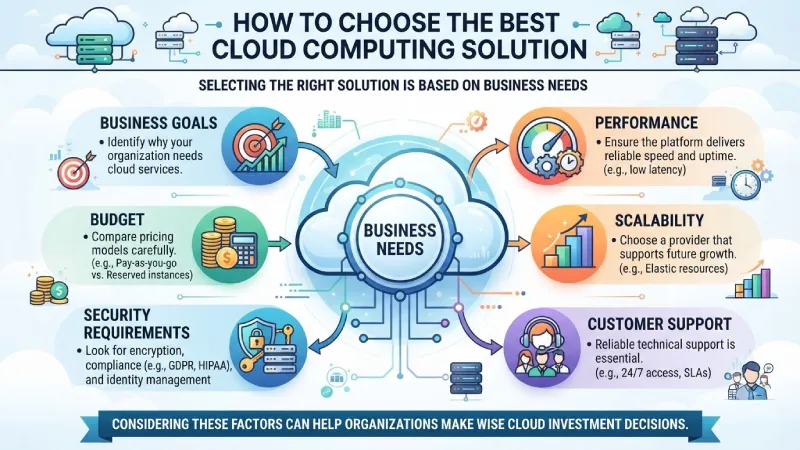
Selecting the right solution is based on business needs
Cloud computing aids organizations in resuming their business processes once the incident is over.
Selecting the appropriate solution is dependent on business needs..
Consider these factors:
Business Goals
Identify why your organization needs cloud services.
Budget
Compare pricing models carefully.
Security Requirements
Look for encryption, compliance, and identity management.
Performance
Ensure the platform delivers reliable speed and uptime.
Scalability
Choose a provider that supports future growth.
Customer Support
Reliable technical support is essential.
Considering these factors can help organizations make wise cloud investment decisions.
Cloud Computing Statistics
- Businesses have been using cloud computing solutions for quite some time now
- Hybrid cloud is on the rise.
- Cloud spending grows every year.
- AI services are becoming a major cloud workload.
- Small businesses increasingly rely on cloud software.
Cloud Computing Around the World
The acceptance of cloud computing is rising throughout the world because companies are making efforts for digitization and artificial intelligence. In spite of different focuses by each nation, the cloud computing technology has gained importance in the IT infrastructure of today.
| Country | Cloud Adoption Highlights |
| United States | Market for clouds with high adoption rate by enterprises |
| India | One of the fastest growing startup ecosystems |
| United Kingdom | High cloud adoption in finance, healthcare, and retail |
| Germany | Cloud solutions for Manufacturing and Industry 4.0 |
| Japan | robotics, and manufacturing |
| Australia | Government cloud-first strategy |
| Canada | Healthcare and public sector cloud adoption |
| Singapore | Regional cloud hub for Asia-Pacific businesses |
Common Cloud Computing Challenges and Best Practices
Despite the numerous benefits that come with cloud computing, companies must be ready for potential problems.
Common Challenges
- Security concerns
- Compliance requirements
- Vendor lock-in
- Downtime
- Data migration complexity
- Cost management
Best Practices
- Encrypt sensitive data.
- Enable multi-factor authentication.
- Monitor cloud costs regularly.
- Perform routine backups.
- Train employees on cloud security.
- Choose trusted cloud providers.
- Review compliance requirements.
Following these practices improves cloud performance and security.
Cloud Computing Trends for 2026″
Great topical authority.
Examples:
- AI-powered cloud
- Green cloud computing
- Serverless computing
- Multi-cloud adoption
- Edge-cloud integration
- Zero Trust security
- Kubernetes growth
- Sustainable data centers
Cloud Computing Glossary”
Example:
| Term | Meaning |
| Cloud | Internet-based computing |
| Server | Computer providing services |
| IaaS | Infrastructure as a Service |
| PaaS | Platform as a Service |
| SaaS | Software as a Service |
| VM | Virtual Machine |
| API | Application Programming Interface |
| Data Center | Facility hosting cloud servers |
Frequently Asked Questions About Cloud Computing
What is cloud computing?
Cloud computing is offering computing resources over the internet instead of through local servers.
Why is cloud computing significant?
It is cost-effective and flexible and aids businesses in scaling up faster.
What are the various cloud computing services?
The primary cloud computing services can be categorized into IaaS, PaaS, and SaaS.
Is cloud computing safe?
Yes, it is secure as the leading cloud providers have various security measures in place.
Can small businesses also use cloud computing?
Certainly, cloud computing is not expensive and provides enterprise-level technology.
What would be the best cloud provider?
The best cloud provider will depend on your budget and requirements.
Final Thoughts
Cloud computing is the base of digital business. Whether you have a startup, a growing company or a big enterprise cloud technology gives you flexibility saves you money improves security and lets you grow without spending a lot on infrastructure.
Knowing cloud services, platforms, providers and how to deploy them helps businesses make tech decisions. As cloud tech keeps changing companies that pick the cloud solutions will be ready for future growth, digital transformation and customers changing needs, with cloud solutions and cloud technology.
