

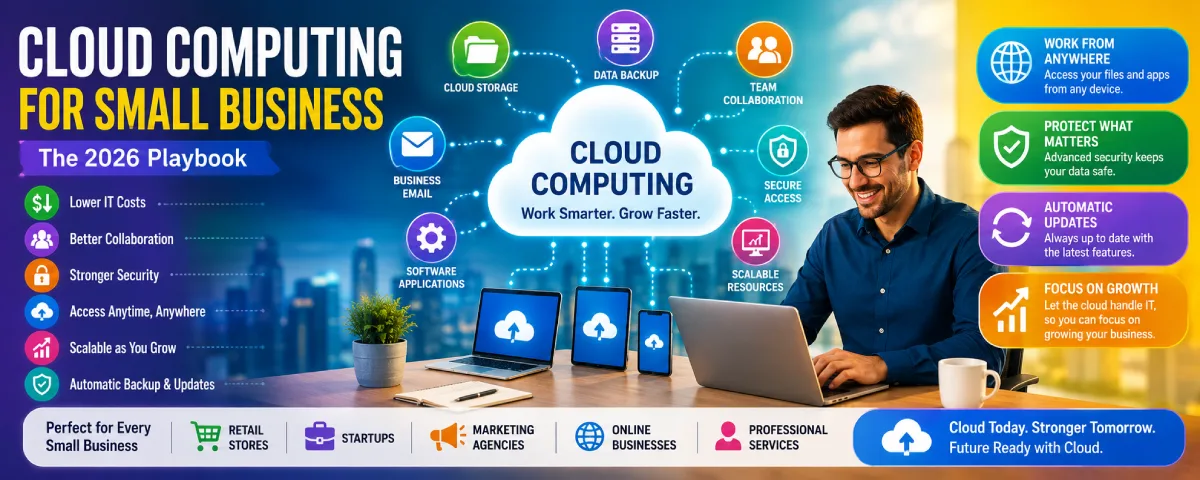
Technology is becoming increasingly vital for small businesses for their day-to-day activities and further expansion. However, buying and maintaining physical hardware, software and other computer-related infrastructure still proves to be quite expensive, and small businesses simply lack the time and resources for that. Here is where cloud computing proves to be a solution.
For the overarching strategy, read our complete guide on Cloud Computing.
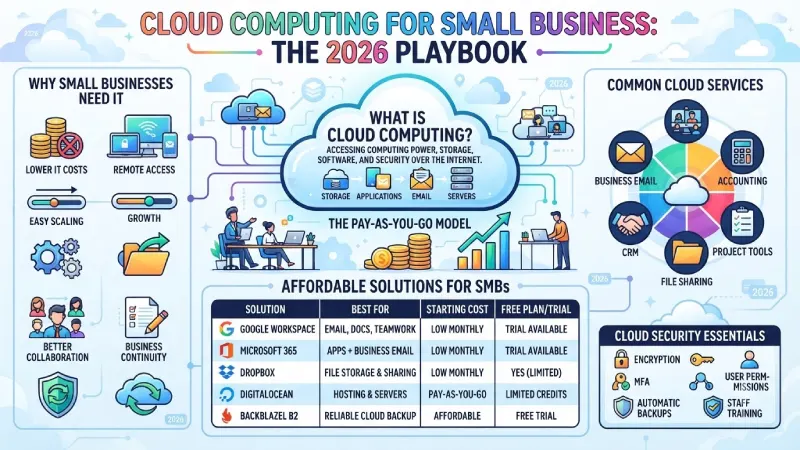
As opposed to the former model of hardware ownership, with cloud computing, you rent computing capacity, storage space, software and security over the internet. You pay only for what you use, your workers access their resources via any possible device and everything else is done by the provider. This allows you to concentrate on the essence of the business.
This guide will help you get a grasp of the reasons why cloud is good for SMBs, challenges addressed, advantages, good affordable solutions, security fundamentals, storage possibilities and how to switch smoothly.
The greatest advantages of cloud computing for small companies are practical and are manifested in saving on IT infrastructure costs, facilitating collaboration, enabling telecommuting, and scalability.
Why Small Businesses Need Cloud Computing
Small enterprises always have a budget constraint, and they do not have much technical support. Purchasing servers, updating them, and then having somebody watch over them is very expensive. With cloud computing technology, one gets the same facilities as big organizations but at less cost.
You can store files in a safe manner, use business applications online, communicate with your clients, and collaborate with the team remotely. When the business grows, you simply turn up the resources you need. No new server room required.
Challenges Faced by Small Businesses
These are the technological challenges that many small businesses continue to face:
- High costs for hardware and IT support
- Running out of storage space
- Risk of losing important files
- Cybersecurity threats
- Supporting people who work remotely
- Not enough in-house tech knowledge
- Downtime when a computer or server fails
Any of these can cause delay and draw attention away from the customers and sales.
How Cloud Computing Solves These Problems
The cloud computing service providers take care of the servers, the upgrades, the backups, and most of the security. The hardware is no more your responsibility to purchase or maintain. Employees have the access to their files and software irrespective of whether they are working from home, office, or traveling on the go. Your resources increase or decrease as per requirement.
This will mean fewer disruptions, less hassle for the IT department, and more time focusing on business development activities.
What Is Cloud Computing for Small Business?
In simple terms, this involves using internet-based applications as opposed to having servers within the company and the software installed on all computers. You will access your services remotely by paying for what you use.
This kind of payment scheme is highly beneficial to smaller companies. You can start small and expand as you require more.
Common cloud services small businesses actually use:
- File storage and sharing
- Online backups
- Business email
- Video meetings
- Accounting software
- Customer relationship management (CRM)
- Project and task tools
- Team collaboration platforms
Cloud Computing at a Glance
| Feature | Benefit for SMBs |
| Cloud Storage | Files stay safe and easy to reach |
| Backup | Reduces the chance of permanent data loss |
| Remote Access | Work from almost anywhere |
| Scalability | Add capacity without buying new hardware |
| Security | Built-in protections from the provider |
| Collaboration | Teams can work on the same files in real time |
Benefits of Cloud Computing for Small Business
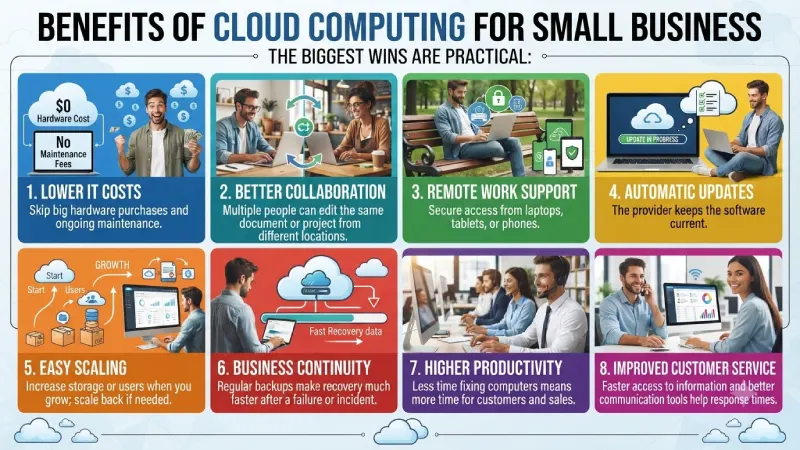
The biggest wins are practical:
- Lower IT costs – Skip the big hardware purchases and ongoing maintenance.
- Better collaboration – Multiple people can edit the same document or project from different locations.
- Remote work support – Secure access from laptops, tablets, or phones.
- Automatic updates – The provider keeps the software current.
- Easy scaling – Increase storage or users when you grow; scale back if needed.
- Business continuity – Regular backups make recovery much faster after a failure or incident.
- Higher productivity – Less time fixing computers means more time for customers and sales.
- Improved customer service – Faster access to information and better communication tools help response times.
To take the next step, see our detailed guide on cloud computing benefits.
Affordable Cloud Solutions for SMBs
There are many choices that cater to small teams and even provide trial periods or free versions, which you can try before signing up.
| Solution | Best For | Starting Cost | Free Plan / Trial |
| Google Workspace | Email, docs, real-time collaboration | Low monthly per user | Trial available |
| Microsoft 365 | Office apps + business email | Low monthly per user | Trial available |
| Dropbox | Simple file storage and sharing | Low monthly | Yes (limited free) |
| OneDrive | Storage for Microsoft users | Low monthly | Yes (limited free) |
| DigitalOcean | Hosting and virtual servers | Pay-as-you-go | Limited credits |
| Backblaze | Reliable cloud backup | Affordable monthly | Free trial |
For email, document editing, and collaboration, Google Workspace and Microsoft 365 offer most of the things that you might need. Both Dropbox and OneDrive can be considered good options for storage and file sharing if these are what you primarily require. For web hosting services, consider DigitalOcean. Backblaze can be used as a cloud-based backup solution.
It all depends upon your current usage of these platforms in your organization and the collaboration level required. Most organizations end up using a mixture of different platforms (Microsoft 365 for collaboration and backup solution).
Cloud Security for Small Business
Good Cloud Security providers build in strong protections, but you still have a role to play.
Key features to look for and use:
- Encryption – Data is scrambled so only authorized people can read it.
- Multi-Factor Authentication (MFA) – Extra login step that blocks most casual account takeovers.
- User permissions – Control who can see, edit, or delete files.
- Automatic backups – Regular copies of your data.
- Disaster recovery options – Ways to get systems back online after a problem.
- Staff training – Teaching people to spot phishing and use strong passwords still matters a lot.
Turn on MFA everywhere you can. Limit access to only what each person needs. Review who has accounts from time to time.
Cloud Storage for Small Business
Cloud file storage allows access to files from any device connected to the Internet and provides versioning as well as sharing capabilities.
Benefits that show up quickly:
- Easy sharing with team members or clients
- Automatic or scheduled backups
- Real-time co-editing of documents
- Access from multiple devices
- Flexible capacity that grows with you
Cloud Storage Comparison
| Service | Collaboration | Best For |
| Google Drive | Excellent | Teams that live in Google tools |
| OneDrive | Excellent | Microsoft 365 users |
| Dropbox | Very good | Simple file sharing across tools |
| Box | Excellent | More structured business document management |
| iCloud Drive | Good | Mostly Apple device environments |
Google Drive and OneDrive are fully integrated into their own productivity packs, but Dropbox is still very popular where users have to share their documents with other users from rival systems.
Cloud Migration Tips for SMBs
It is not wise to move everything all at once because that will cause more disruption.
Practical steps:
- State exactly what is required (space requirements, user numbers, applications).
- Find a service provider who fits in with your budget and future requirements.
- Ensure all critical data is backed up before implementation begins.
- Perform tests using a pilot project before rolling out to everyone.
- Train staff in how to use the new system.
- Monitor usage and expenditure for at least several months.
Choose a cloud computing provider that matches your budget and growth plans.
SMB Cloud Adoption Checklist
| Task | Done |
| Define clear business goals for the move | Yes |
| Choose the main cloud solution(s) | Yes |
| Back up all critical data | Yes |
| Train the team | Yes |
| Turn on Multi-Factor Authentication | Yes |
| Set up regular cost and usage monitoring | Yes |
Frequently Asked Questions
What does cloud computing mean to small businesses?
It implies the use of internet-based data storage, software applications, and computing capacity rather than investing in servers and local software.
Is cloud computing cost-effective for small businesses?
Absolutely. The vast majority offer payment plans that are either monthly or pay-per-use. It is easy to start out with free tiers and scale up if necessary.
Is cloud storage secure?
Major service providers use encryption technology, access control methods, and multi-factor authentication services. Measures that you use personally are equally significant (passwords, MFA, restricted access).
Which cloud solution is best for SMBs?
Google Workspace or Microsoft 365 cover collaboration and productivity for most teams. Pair one of those with a solid storage or backup service if needed. The “best” choice depends on the tools your people already know and the systems you need to connect.
How much does cloud computing cost?
It depends on the number of users, storage, and any additional features. There is quite a large number of small companies that pay from several to tens of dollars for each user monthly. Start small and then grow.
Conclusion
Using the cloud, small businesses can leverage contemporary technologies at a reduced expense and complexity in comparison with conventional approaches to information technology. Thus, it is possible to achieve lower expenses, improved collaboration capabilities, advanced data security options, and scalability without need to continually invest in hardware.
The key here is to select technologies that are compatible with current collaboration practices within the organization, activate the baseline security controls, provide training to employees, and monitor the consumption of the service. In this case, the cloud will be just one of the unnoticed enablers of business operations.
