

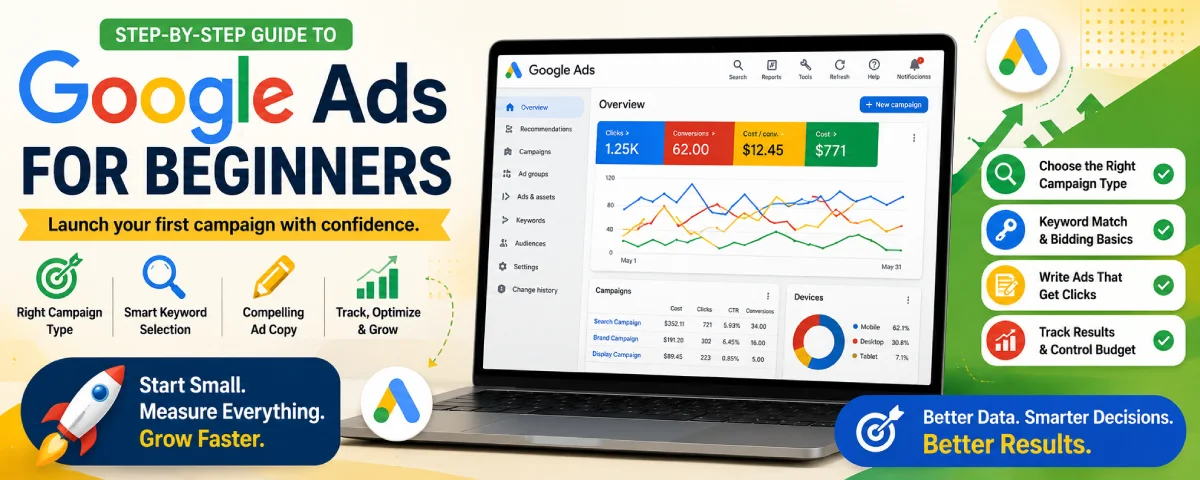
Google Ads is a very daunting thing to look at when you first sign on. There are so many buttons, options, and terms that can be hard to navigate. But here’s the great thing, you don’t have to know everything about it to get started. All most people want when starting out is some direction to make sure their campaign gets off to the right start.
Here, you will be guided step by step through all of the steps needed for you to create your first Google Ads account and start your first campaign without losing money along the way.
For the overarching strategy, read our complete guide on PPC Advertising
Setting up a Google Ads Account
The first step is creating your account properly. A clean setup saves problems later.
Steps to set up your account
- Visit ads.google.com and sign into your Google account.
- Select the option that allows you to make an account with Google Ads.
- Choose your country, time zone, and currency. These details cannot be altered afterwards.
- Select Expert mode if Google wants you to choose a simplified Smart campaign. The expert mode offers more flexibility, which is better even for newbies.
- Provide the details about your company and the web address.
- Set up billing (credit card or any other).
Important setup tips
- Link your Google Analytics 4 property if you already have one.
- Turn on auto-tagging so Google can track clicks properly.
- Verify your website and set up conversion tracking before you spend money.
Take your time setting up the account structure. A messy account becomes difficult to correct once campaigns are already running.
Google Ads Campaign Types Explained
Google offers several campaign types. Choosing the wrong one is one of the most common beginner mistakes.
Main campaign types in 2026
| Campaign Type | Best For | Difficulty | Recommended for Beginners? |
| Search | People actively searching for your product or service | Easy | Yes – start here |
| Performance Max | Automated campaigns across Google channels | Medium | Only after you have data |
| Shopping | Ecommerce product ads | Medium | Yes for online stores |
| Display | Banner ads on websites | Medium | Later (good for remarketing) |
| Video (YouTube) | Video ads | Medium | Later |
| Demand Gen | Visual discovery ads | Medium | Later |
What most beginners should choose
Start with a Search campaign. They show up when individuals do specific searches on Google. The objective is above that of display or video ads, which makes it easier to achieve results even on a shoestring budget.
Avoid Performance Max and Smart campaigns when you are just starting. They need conversion data to work well and give you less control.
Keyword Match Types and Bidding Basics
Keywords decide when your ads show. Match types control how closely a search must match your keyword.
Keyword match types
| Match Type | Symbol | How It Works | Beginner Advice |
| Broad Match | none | Shows for related searches, even if wording is different | Use carefully with strong negatives |
| Phrase Match | “keyword” | Shows when the search includes your phrase | Good starting point |
| Exact Match | [keyword] | Shows for very close matches only | Best for high-intent terms |
Practical recommendation for beginners
- Start out your campaign with Phrase Match and Exact Match.
- Use only Broad Match if you have data for conversions and Negative Keywords.
- Always have a Negative Keywords list ready at the start of your campaign..
Bidding basics
When you are new and have little conversion data, start with one of these options:
- Maximize Clicks (with a maximum CPC limit)
- Manual CPC
Do not use Target CPA or Target ROAS until you have 15-30 conversion actions on your campaign since automatic bidding requires data to function.
Set a daily budget you are comfortable with. Google may spend up to twice your daily budget on some days, but it will average out over the month.
Writing Your First Google Ad
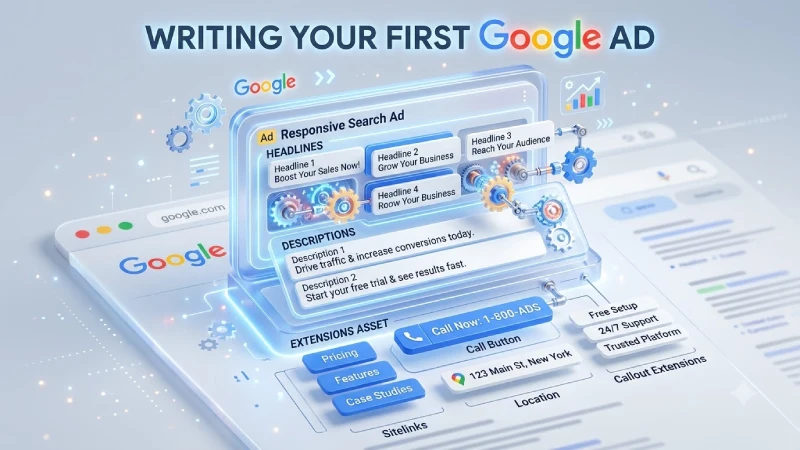
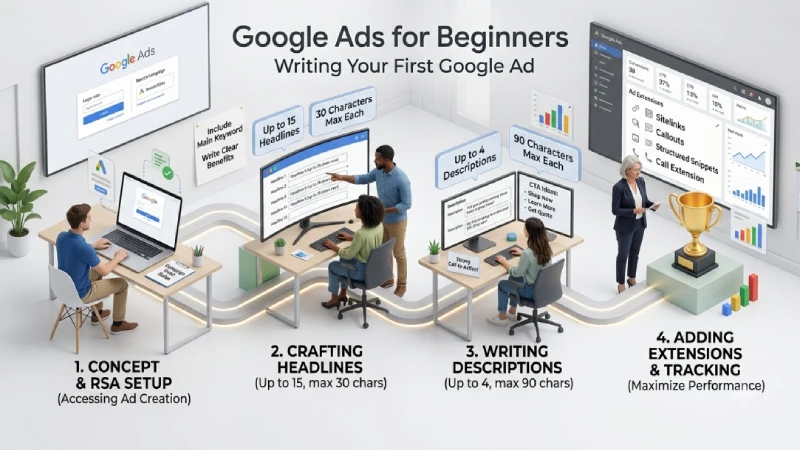
Google mainly uses Responsive Search Ads (RSAs). You provide multiple headlines and descriptions, and Google tests different combinations.
What you need to write
- Up to 15 headlines (maximum 30 characters each)
- Up to 4 descriptions (maximum 90 characters each)
Tips for better ads
- Ensure that your key phrase is present in several of your headlines.
- List the benefits rather than features.
- Make use of a compelling call to action like “Get a Free Quote”, “Shop Now”, “Learn More.”
- Use numbers wherever necessary (“24/7 Customer Support”, “Free Shipping above $50”).
Ad extensions worth adding from the start
- Sitelinks
- Callouts
- Structured snippets
- Call extension (if you want phone calls)
Extensions make your ad bigger and usually improve click-through rate.
Tracking Results and Budget Control
You cannot improve what you do not measure.
Essential tracking setup
- Include the conversion tag for Google Ads or set up conversions via Google Analytics 4.
- Select actions that matter to you (conversions, form completions, phone calls, etc.).
- Test your conversion tracking prior to increasing your budget..
Budget control tips
- Start with a modest daily budget.
- Check the search terms report regularly and add negative keywords.
- Pause keywords or ads that spend money without results.
- Look at cost per conversion, not just clicks.
Simple weekly routine for beginners
- Check spend and conversions.
- Review the search terms report.
- Add negative keywords.
- Pause poor performers.
- Note what is working and improve those ads or keywords.
Final Advice for Your First Campaign
Keep your first campaign simple:
- One Search campaign
- 2–4 tightly themed ad groups
- Phrase and Exact Match keywords
- Strong Responsive Search Ads
- Proper conversion tracking
- Realistic daily budget
It is not recommended to attempt to run Display, Performance Max, and Search campaigns simultaneously while learning how to work with them. Begin with only one campaign, get familiar with the data, and then gradually add others.
Google Ads favors slow and steady work over spending large sums. There are many beginners who waste their budgets at the initial stage due to using too wide keywords and ineffective tracking.
If you follow the advice in this article properly, ou will be able to avoid making any mistakes.
Begin with something simple and gradually build your skills. This strategy beats attempting to create a perfect campaign right away.
Frequently Asked Questions
- How much budget do I need to start Google Ads?
You can start with $5–20 per day, depending on your industry and location. The key is to have enough budget to get meaningful data within a few weeks. - Should I use Broad Match as a beginner?
Phrase match and exact match tend to be preferred initially. Broad match should be added after you have collected your conversions and have an effective list of negative keywords. - What is the time required for results?
You may see clicks fast, but conversion numbers usually come within 2-4 weeks, depending on the amount you spend and your industry. - Will I have to use a professional for my Google Ads campaign?
For a beginner, however, you could accomplish this on your own if you have an organized approach and look at the account regularly. - What is the biggest mistake beginners make?
Launching without proper conversion tracking and using keywords that are too broad. Both problems lead to wasted spend.
Conclusion
The process of entering into Google Ads should not really be too complicated for anyone. It is only important that you organize your account in the proper manner, conduct a Search campaign, manage your match types, create clear ads and track your efforts from the beginning.
Make your first campaign small enough. Analyse what you have learned discard the excess. Improve your actions. Usually a novice fails because a novice tries to accomplish much, at once. In cases a novice should take time and act deliberately.
Start with learning the basics. Once this is done, everything else will become much easier.
To take the next step, see our detailed guide on facebook ads manager.
