

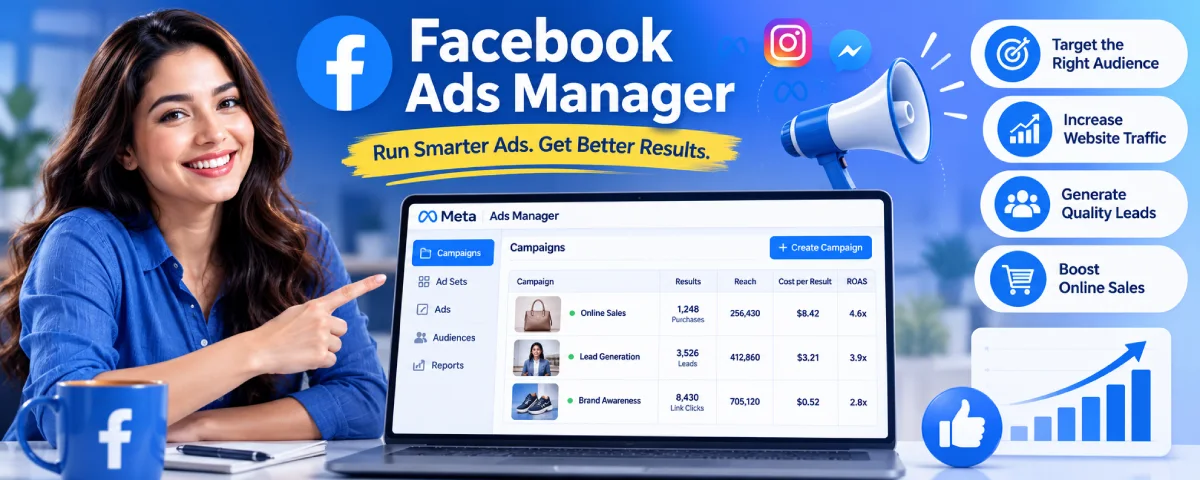
Facebook Ads Manager from Meta used to be called Ads Manager. It is an ad campaign creation, management, and analysis platform of Facebook, Instagram, Messenger, and Audience Network. It may appear to be very confusing at the first glance, particularly for a beginner, but once he understands how the hierarchy of campaigns, ad sets, and ads work, all things become crystal clear.
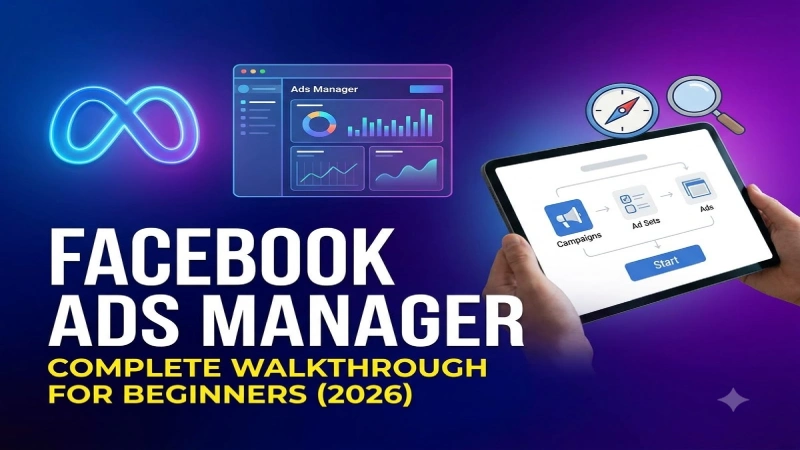
The article below provides a comprehensive overview of all things one should know about getting started with Ads Manager. Everything that you need to know about getting started with Ads Manager is provided in the article below. This article is going to tell you how to create an account on Ads Manager correctly, which goals you should establish for your campaign, how to build audiences and ads, and how to evaluate your report.
For the overarching strategy, read our complete guide on PPC Advertising
Setting up Facebook Ads Manager
Prior to producing ads, you require a good base.
What you need
- A Facebook account
- A Facebook Page for your business
- A Meta Business Manager account (recommended)
- The Meta Pixel installed on your website (very important for tracking)
Step-by-step setup
Step-by-Step Guide to Creating an Ad Account
- Visit business.facebook.com and either create or sign in to Business Manager.
- Connect your Facebook Page and Instagram.
- Create an Ad Account within Business Manager.
- Specify the right time zone, currency, and details about the business.
- Integrate the Meta Pixel code to your website and make sure it works.
- (Not required but suggested) Implement Conversions API.
Useful tips for beginners
- • You should always perform ad campaigns using Business Manager and not a personal account since it is more professional.
- • You should be careful in giving access to others when working on ad campaigns.
- • Before launching any ad campaign, make sure your billing is updated..
A clean setup avoids many tracking and access issues in the future.
Understanding Campaign Objectives
The campaign goal is your most important decision. It tells Meta what result you would like the system to optimize for.
Main objectives available in 2026
| Objective | What Meta Optimises For | Best Used When |
| Awareness | Reach and brand recall | You want more people to know your brand |
| Traffic | Link clicks or landing page views | You want website visitors |
| Engagement | Post likes, comments, shares, etc. | You want more social interaction |
| Leads | Lead form submissions or messages | You want contact details |
| App Promotion | App installs or in-app events | You have a mobile app |
| Sales | Purchases or other conversion events | You want sales or revenue |
Which objective should beginners choose?
- If you sell products online and have the Pixel working → start with Sales
- If you want leads (quotes, demos, sign-ups) → choose Leads
- If you mainly want website traffic → choose Traffic
Choosing a wrong goal is the most common reason for the failure of a new campaign. Your goal should be based on the real activity that you care about.
Audience Targeting Options
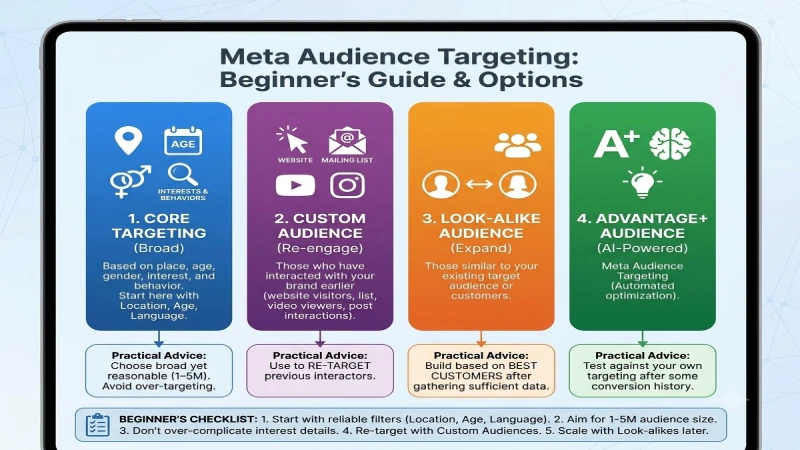
There are many options Meta provides for defining which audiences see your ads.
Main audience types
- Target Audience – Based on place, age, gender, interest, and behavior
- Custom Target Audience – Those who have interacted with your brand earlier (people who visit your website, people in your mailing list, people watching videos on your YouTube channel, those interacting with your Instagram post, etc.)
- Look-alike Target Audience – Those similar to your existing target audience or customers
- Advantage + Audience – Meta Audience Targeting
Practical targeting advice for beginners
- Choose an audience that is broad yet reasonable (typically 1–5 million people in your target nation).
- Do not over-aim with too much interest detail. Over-targeting will negatively affect results.
- Use Custom Audiences to re-target (people who have visited your website and interacted with your posts).
- It recommend building an audience based on your best customers and I recommend building a look‑alike audience after you have gathered sufficient data.
- Test Advantage+ Audience against your own targeting after you have some conversion history.
Location, age, and language are usually the most reliable filters when you are starting out.
Ad Creative Best Practices
Your creative (image, video, and text) has a huge influence on results.
Creative formats that work well
- Single image
- Short video (especially vertical for Stories and Reels)
- Carousel (multiple images or videos)
- Collection (good for ecommerce)
Best practices that still matter in 2026
Grab attention within the first three seconds of your video.
- Employ clean, readable text. A lot of people view videos muted.
- Convey your product or offer.
- Keeo the message simple.
- There must be a “call to action” button such as “Buy Now,” “More Information,” and “Register.”
- Make sure that your creative is consistent with the landing page.
- Test out various creatives. Lifestyle-based versus product-based. Shorter versus longer videos.
Image and video tips
- Use high-quality visuals.
- Avoid too much text on the image.
- Vertical (9:16) and square (1:1) formats usually perform best across placements.
- Always add captions to videos.
Innovation always wins over the ability to target precisely. It is quite usual for a number of advertisers to favor innovation over audience targeting.
Facebook Ads Reporting
The ability to interpret the findings is as crucial as developing the campaign itself.
Key metrics beginners should watch
| Metric | What It Tells You | Good Starting Benchmark (varies by industry) |
| Amount Spent | How much you have spent | — |
| Impressions | How many times ads were shown | — |
| Reach | How many unique people saw the ads | — |
| CTR (Click-Through Rate) | How often people click | 1% or higher is often decent |
| CPC (Cost per Click) | Cost for each click | Depends on industry |
| CPM (Cost per 1,000 Impressions) | Cost to show ads | — |
| Results / Cost per Result | Actual outcomes and efficiency | Most important for optimisation |
| Frequency | How many times the average person saw the ad | Keep under 3–4 in most cases |
| ROAS (Return on Ad Spend) | Revenue divided by ad spend | Aim for profitable numbers |
How to use reporting effectively
- Look at results at the Campaign, Ad Set, and Ad levels.
- Compare performance over the last 7 days and last 30 days.
- Turn off ads or ad sets that spend money without delivering results.
- Give new campaigns enough time (usually 3–7 days) before making big changes.
- Focus on cost per result and ROAS more than vanity metrics like reach.
Customizing the columns on the Ads Manager, with the information that matters to the report will become a lot easier for you.
Frequently Asked Questions
Is Business Manager necessary for running Facebook ads?
Very recommended. Business Manager provides more control and security as well as the possibility to involve team members.
Which is the right campaign objective for beginners?
If possible – Sales (conversion); otherwise – Leads (contact data). Choose according to what fits you better in practice.
How many budget is needed to start?
Usually, $10-30 per day is how people start testing. Important is to test your campaign long enough to have results.
Which should I choose – Advantage+ or manual targeting?
Beginners can start with either manual or Advantage+ Audience targeting. Testing should be done after collecting some data on conversions.
How much time I need to give my new campaign before optimising?
At least 3-7 days and sufficient budget to go through the learning phase.
Conclusion
This instrument is extremely powerful, however, one should not complicate the process. First of all, you should set up your Facebook account and Pixel properly, select the right campaign objective, pick up the right audience, make good ads and focus on the needed metrics.
Generally speaking, a beginner usually spends more money than needed on launching campaigns, because he/she launches too many campaigns at once, selects the wrong objective or changes something often. One campaign at first, observe its results, and continue to develop it gradually.
As soon as you understand the functioning of Campaigns, Ad Sets and Ads, the tool becomes much easier to utilize.
To take the next step, see our detailed guide on Retargeting and Remarketing.
