

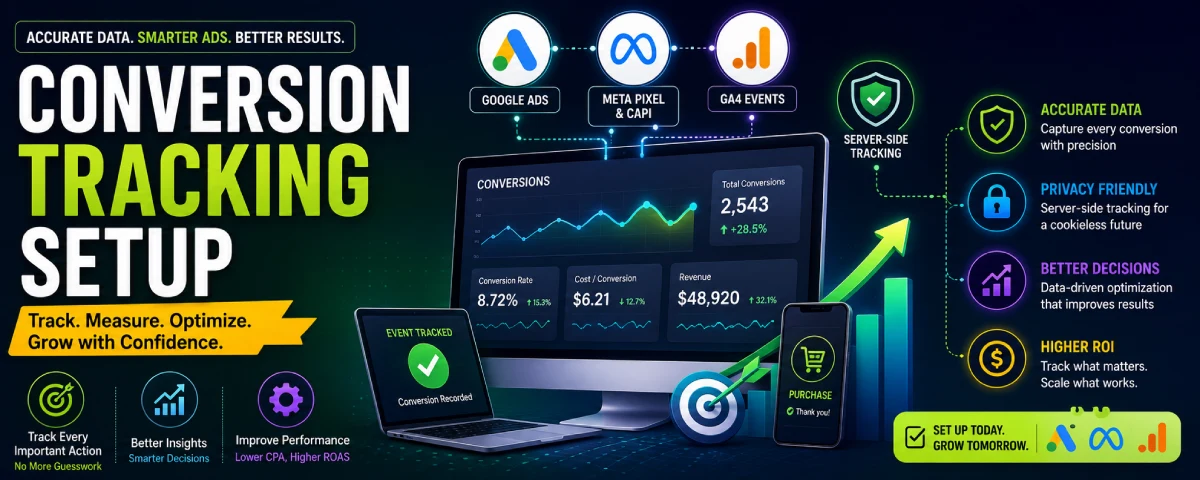
Without accurate conversion tracking, you will be in the dark. You will not know what ads, keywords, or audiences are working, and you will be wasting your efforts optimizing the wrong things.
Conversion tracking is one of the most leveraged things that you can implement in your paid advertising campaigns. In this article, you will get to learn about the conversion tracking setup that is needed for Google Ads, Meta, GA4, and server-side tracking.
For the overarching strategy, read our complete guide on PPC Advertising
Google Ads Conversion Tracking
The requirement of knowing the timing of the occurrence of an important event is necessary for Google Ads to effectively bid and display useful data.
Main ways to track conversions in Google Ads
- Google Ads conversion tag (primary method)
- Import conversions from Google Analytics 4
- Enhanced conversions (for better accuracy)
- Offline conversion imports (for phone calls or CRM deals)
How to set up Google Ads conversion tracking
- Go to Goals → Conversions → Summary in your Google Ads account.
- Click “New conversion action.”
- Choose the type of conversion (Purchase, Lead, Sign-up, Phone call, etc.).
- Set the conversion name, value, count method, and attribution settings.
- Install the conversion tag on your website (using Google Tag Manager is recommended).
- Test the tag with Google Tag Assistant or the built-in diagnostics.
Important settings to get right
- Conversion value (especially for ecommerce)
- Counting method (Every vs One)
- Attribution model
- Conversion window
Always test that the conversion fires correctly before you spend significant budget.
Meta Pixel and Conversions API
The meta (Facebook/Instagram) tracking process consists of two elements: Pixel and Conversions API (CAPI).
Meta Pixel
The Pixel is a piece of code that monitors the activities performed by individuals on your site following their interactions with your advertisements.
Key standard events
- PageView
- ViewContent
- AddToCart
- InitiateCheckout
- Purchase
- Lead
- CompleteRegistration
Conversions API (CAPI)
Because of the new privacy settings and constraints from the browser itself, simply using Pixel won’t be enough for efficient tracking anymore. The role of Conversions API is to report the events from your server to Meta.
Best practice in 2026
Use both the Pixel and Conversions API together (dual tracking). This gives Meta the most complete picture and usually improves campaign performance.
Setup overview
- Create and install the Meta Pixel.
- Set up standard or custom events.
- Implement Conversions API (through your website platform, Google Tag Manager server-side, or a partner integration).
- Verify events in Meta Events Manager.
- Aim for high Event Match Quality scores.
GA4 Event Tracking for Ads
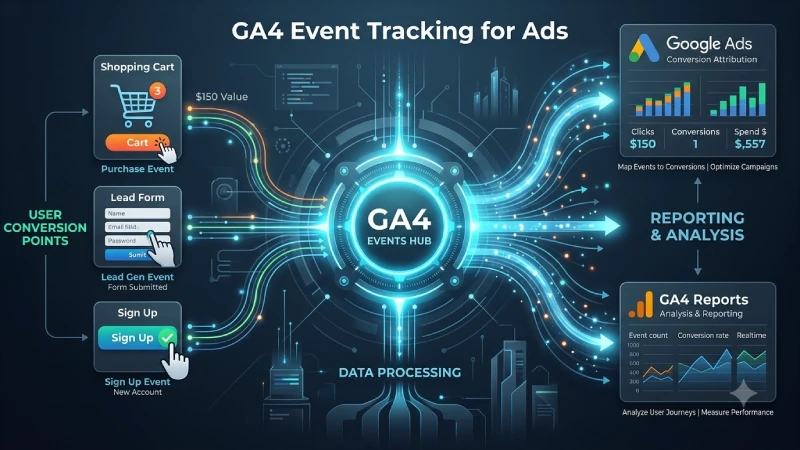
GA4 is an event-based system. Nearly all the things you need to measure are events.
Important GA4 events for advertising
- purchase
- generate_lead
- sign_up
- add_to_cart
- begin_checkout
- form_submit (custom)
- phone_call (custom)
How GA4 connects to ads
- Link GA4 to Google Ads so you can import conversions.
- Use GA4 audiences for remarketing.
- Analyse paid traffic performance inside GA4 reports.
Setup tips
- Mark key events as conversions inside GA4.
- Use Google Tag Manager to manage event tracking cleanly.
- Send consistent event parameters (value, currency, transaction_id, etc.).
- Test events with the GA4 DebugView.
GA4 works best when your event naming and parameters are clean and consistent.
Server-Side Tracking Basics
Client-side browser tracking is getting less reliable because of things like ad blockers, limitations within the browser, and privacy changes. Server-side tracking can solve some of these issues.
What server-side tracking means
Instead of sending tracking data only from the user’s browser, your server sends the data directly to Google, Meta, or other platforms.
Benefits
- Better data accuracy
- Improved tracking resilience against ad blockers
- Higher Event Match Quality on Meta
- More control over what data is sent
Common ways to implement server-side tracking
- Google Tag Manager Server-Side
- Platform-native integrations (Shopify, WooCommerce, etc.)
- Customer data platforms or tracking tools
- Custom server-side events
You do not always need full server-side tracking on day one, but it is becoming more important as browser tracking continues to lose accuracy.
Debugging Conversion Tracking Issues
Tracking problems are common. Here are the steps for finding and fixing them systematically.
Common symptoms
Common symptoms
- Conversions not showing in the ad platform
- Big differences between platform numbers and actual sales
- Duplicate conversions
- Missing purchase values
- Delayed or incomplete data
Debugging checklist
- Check if the tag is firing
Use Google Tag Assistant, Meta Pixel Helper, or your browser’s developer tools. - Verify the event name and parameters
Ensure that the name of the event is identical to the one on the platform.. - Test in real time
Use GA4 DebugView, Meta Test Events, and Google Ads tag diagnostics. - Look for attribution or timing issues
Check conversion windows and attribution settings. - Check for duplicate tracking
Make sure the same conversion is not being fired by multiple tags. - Compare with source-of-truth data
Match platform numbers against your CRM, order system, or payment records. - Inspect server-side vs browser-side data
If you use both, make sure they are not double-counting.
Useful tools
- Google Tag Assistant
- Meta Pixel Helper
- GA4 DebugView
- Meta Events Manager Test Events
- Browser developer console
- Server logs (for server-side setups)
Systematic testing is faster than guessing.
Building Reliable Conversion Tracking
Strong conversion tracking in 2026 usually includes:
- Correct Google Ads conversion actions
- Meta Pixel + Conversions API working together
- Clean GA4 event tracking
- Consistent naming and parameters
- Regular testing and debugging
- Server-side tracking where it adds value
Treat conversion tracking as infrastructure. When it is solid, every other optimisation decision becomes easier and more accurate. When it is broken, even good campaigns look bad and bad campaigns can look good. A failed strategy makes even the best campaigns look poor and poor campaigns look good.
First put in place all the important things, test everything properly, and after that expand your budgets. One of the greatest competitive advantages in paid advertisements is accurate information.
Frequently Asked Questions
- Do I require the Meta Pixel and Conversions API?
Of course, in most cases. The combination of both gives the highest quality of data and performance of the campaign in 2026. - Is it worth using GA4 conversions in Google Ads or Google Ads tag?
Either of the two approaches can be used. A lot of advertisers choose to use Google Ads tag as their main tracker and GA4 as secondary. - How much time will it take before conversion data appears?
This depends on real-time to a few hours, and it varies based on the platform and type of tracking that you use. - What is Event Match Quality on Meta?
It measures how well Meta can match your website events to Facebook/Instagram users. Higher scores generally lead to better optimisation. - Is server-side tracking required?
It is not always required on day one, but it is increasingly valuable for accuracy and long-term performance, especially on Meta.
Conclusion
Accurate tracking of conversions will be the backbone of successful paid media campaigns in 2026. Set up Google Ads conversion tracking actions, double pixel of Meta + Conversions API, clear and uniform GA4 events tracking, continuous testing and debugging, and server-side tracking when it’s necessary. Good tracking makes all your optimization decisions better, and accurate data will give you an edge in competition.
To take the next step, see our detailed guide on Quality Score Optimization
