

Introduction
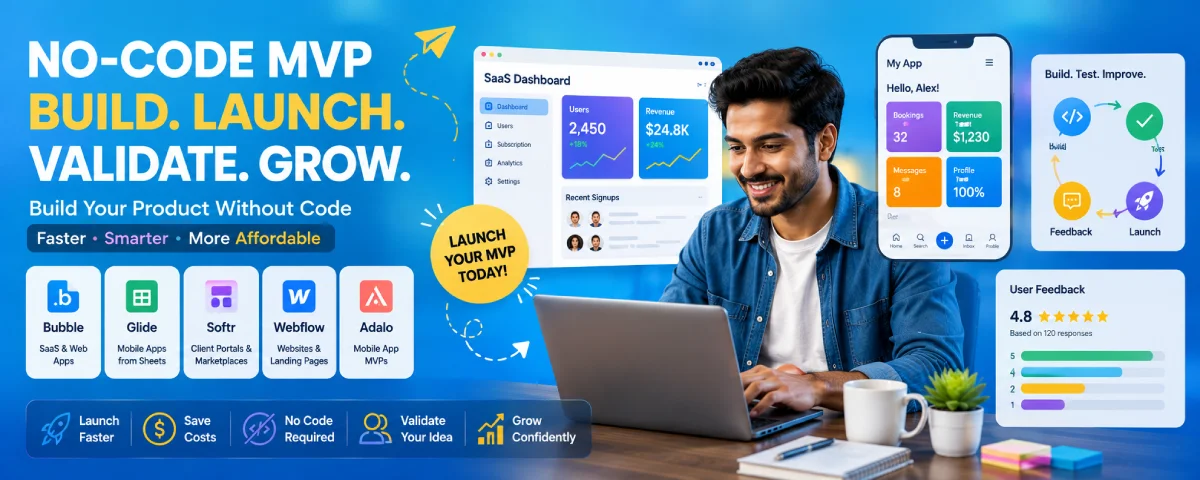
Development of No-Code MVP Now, one doesn’t require large teams of developers and long hours of coding in order to establish a business. In today’s world of modern no-code MVP development platforms, people can develop their product, get it tested, and even launch it without writing any lines of code. No-code MVP development allows entrepreneurs to check the validity of their business idea, spend less money on developing something, and receive useful feedback from their potential customers. From a SaaS application to a marketplace and a mobile application – there is a wide range of products that one can develop.
For the overarching strategy, read our complete guide on MVP Development.
Best No-Code Platforms for MVP Development
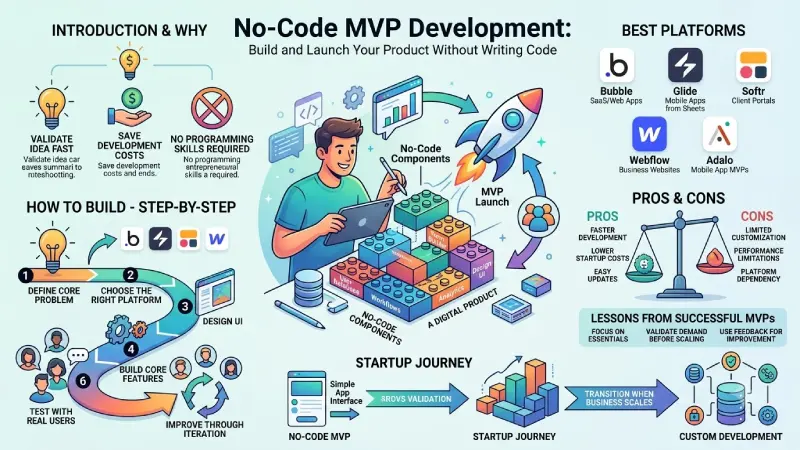
The decision on which no-code platform to use will depend on the nature of your product. The following is the list of the most outstanding platforms that can be utilized by startups in 2026.
| Platform | Best For | Key Features |
| Bubble | SaaS and web applications | Visual builder, workflows, database management |
| Glide | Mobile apps | Builds apps from Google Sheets and Airtable |
| Softr | Client portals and marketplaces | Airtable integration and responsive templates |
| Webflow | Business websites | Visual design, CMS, SEO-friendly pages |
| Adalo | Mobile app MVPs | Drag-and-drop app builder with database support |
Why Founders Choose No-Code Platforms
- Faster product development.
- Lower startup costs.
- No programming skills required.
- Easy feature updates and maintenance.
- Quick validation of business ideas.
Numerous startups resort to these applications for the development of their very first MVP before developing custom applications.
How to Build a SaaS MVP Without Coding
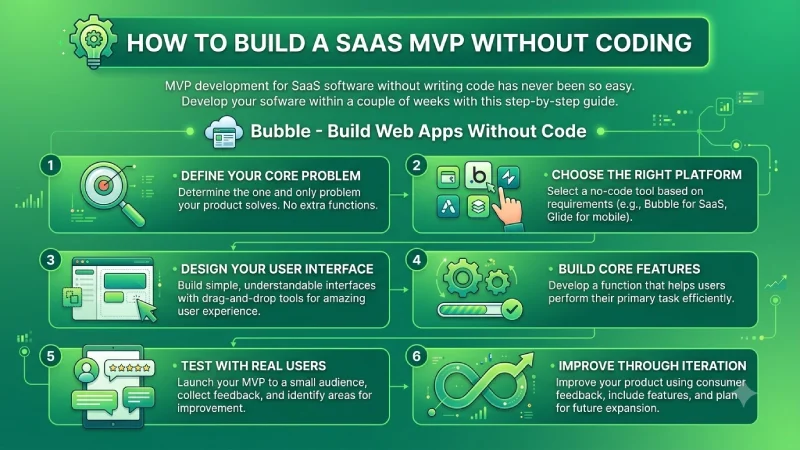
The creation of an MVP for SaaS software without coding has never been easier. With the use of a comprehensive manual, you will be able to create your software in just a few weeks.. Bubble – Build Web Apps Without Code
Step 1: Define Your Core Problem
Determine the one and only problem that your product is going to solve. Do not include any extra functions.
Step 2: Choose the Right Platform
Choose the right no-code application based on the needs of your product. For instance, you can go with Bubble for creating SaaS solutions, and Glide for mobile applications.
So, you only need to add the source after the introductory paragraph. Don’t add it after every step.
Step 3: Design Your User Interface
Build simple, understandable interfaces with drag-and-drop building tools that give users an amazing experience.
Step 4: Build Core Features
Develop a function that will help users perform their primary task efficiently.
Step 5: Test with Real Users
Release the MVP to a limited group, gather feedback, and work on areas that need improvement.
Step 6: Improve Through Iteration
Improve your product using consumer feedback, include features, and plan for future expansion.
Pros and Cons of No-Code MVPs
There are several benefits in no-code development; however, it is necessary to know the limitations of no-code development.
| Pros | Cons |
| Faster development | Limited customization |
| Lower development costs | Performance limitations for complex apps |
| No coding skills required | Platform dependency |
| Easy updates and maintenance | Limited advanced integrations |
| Ideal for rapid validation | May require migration as the business scales |
For many early-stage startups, the pros will outweigh the cons since speed and validation are more critical than having additional functionality.
No-Code MVP Examples from Successful Startups
Many companies have been able to validate their concepts without writing any code before spending on development.
Marketplace Startup
Initially, the local service marketplace was developed using the Bubble platform where users can register, search for listings and book their services. Upon acquiring thousands of users, the company moved to a customized platform.
SaaS Startup
Subscription-based business management software released its first iteration through no-code automation and database software. Feedback from initial customers helped to polish the product.
Online Learning Platform
An education startup created its MVP with Webflow for the website and Airtable for content management. This enabled the founders to validate demand and attract paying customers without hiring developers.
Lessons from Successful No-Code MVPs
- Start with only essential features.
- Validate customer demand before scaling.
- Use feedback to guide product improvements.
- Upgrade to custom development only when business growth requires it.
The following examples show how building an MVP without code is a great way to release products quickly and with minimal spending.
When No-Code Makes Sense vs Custom Development
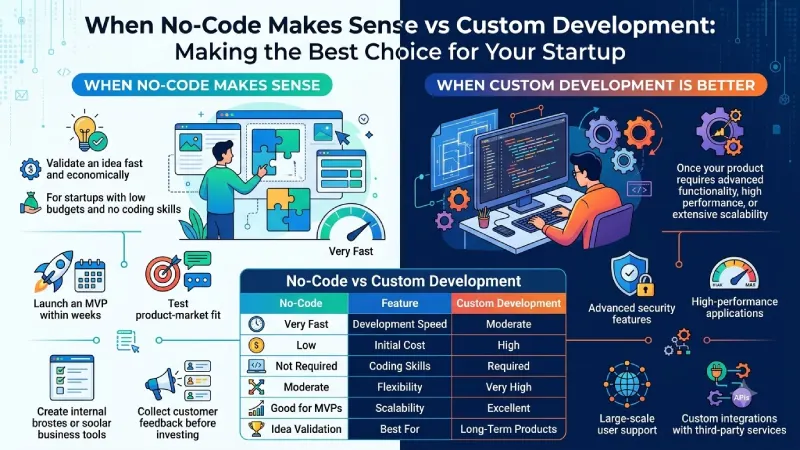
Both of these methods have their own strengths. The selection of the best method depends on your start-up’s priorities and goals.
When No-Code Makes Sense
No-code should be your choice if you want to validate an idea fast and economically. It is very suitable for startups with low budgets and people who have no coding skills.
Choose no-code if you want to:
- Launch an MVP within weeks.
- Test product-market fit.
- Build landing pages or simple SaaS products.
- Create internal business tools.
- Collect customer feedback before investing in development.
When Custom Development Is Better
Custom development becomes the better choice once your product requires advanced functionality, high performance, or extensive scalability.
Choose custom development if you need:
- Complex business logic.
- Advanced security features.
- High-performance applications.
- Large-scale user support.
- Custom integrations with third-party services.
No-Code vs Custom Development
| Feature | No-Code | Custom Development |
| Development Speed | Very Fast | Moderate |
| Initial Cost | Low | High |
| Coding Skills | Not Required | Required |
| Flexibility | Moderate | Very High |
| Scalability | Good for MVPs | Excellent |
| Best For | Idea Validation | Long-Term Products |
Choosing the Right No-Code Platform
Not all no-code platforms will fit the needs of all companies. It is necessary to analyze the needs of the organization before adopting the platform.
Product Type
Choose your platform according to what you intend to build. Bubble is excellent when developing SaaS software while Glide is suited for mobile applications and Webflow is suited for websites.
Ease of Use
Select a platform that has a user-friendly interface, tutorials, and a good community so that your team can work fast.
Integrations
Make sure that the platform provides integration capabilities with payment gateways, CRMs, analytics software, and email marketing software.
Scalability
Although you’re building an MVP, choose a platform that can handle additional users and features as your startup grows.
Pricing
Subscription plans must be compared carefully because some platforms offer cost-effective starter plans but are more expensive when your business grows.
Choosing the right no-code platform enables you to get started quickly while still being flexible enough for future growth.
Best Practices
- Focus on solving one core customer problem.
- Build only essential MVP features.
- Test your product with real users.
- Collect and analyze customer feedback regularly.
- Improve your MVP through continuous iteration.
- Upgrade to custom development only when necessary.
FAQs
Can I create a SaaS MVP without coding?
Absolutely. Tools such as Bubble, Glide, and Softr enable entrepreneurs to create a SaaS MVP without writing any code.
Is no-code technology right for any startup?
No. This approach works great for product validation and basic applications but might need custom development in more complicated cases.
When should I transition from no-code to custom development?
Make the transition if you require more functionality, better performance, increased security, or the capacity to grow quickly with your product.
Conclusion
The creation of MVP with no-code has become incredibly easy for entrepreneurs to transform ideas into a functional product. With the help of choosing an appropriate platform, concentrating on basic features, and proving your idea via validation from actual people, you will be able to save money and time spent on development. Later, as your business grows, you will be able to keep the same platform or choose custom development.
To take the next step, see our detailed guide on Lean Startup MVP Methodology.
