

Introduction
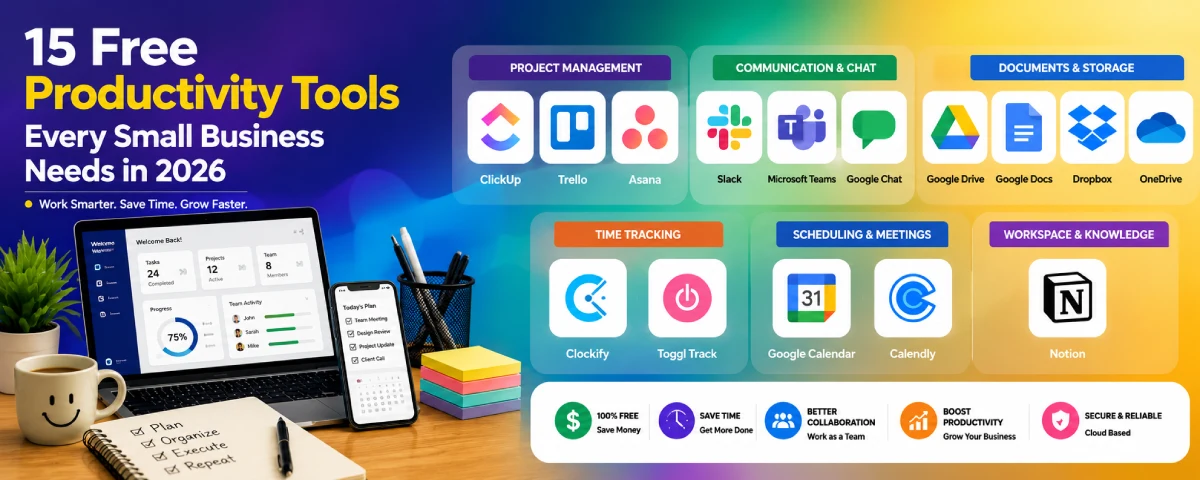
Free tools that can make your productivity easier when running a small business Running a small business involves a lot of duties every day. With free productivity software, you can manage your tasks, work with your employees, exchange documents, and control your work without spending a dime.
The majority of these productivity apps come with artificial intelligence capabilities and cloud integration. In this article, we will review the best free productivity applications for small businesses in 2026 and discover how they operate and which suits your business.
For the overarching strategy, read our complete guide on Productivity Tool
Top 15 Free Productivity Tools at a Glance
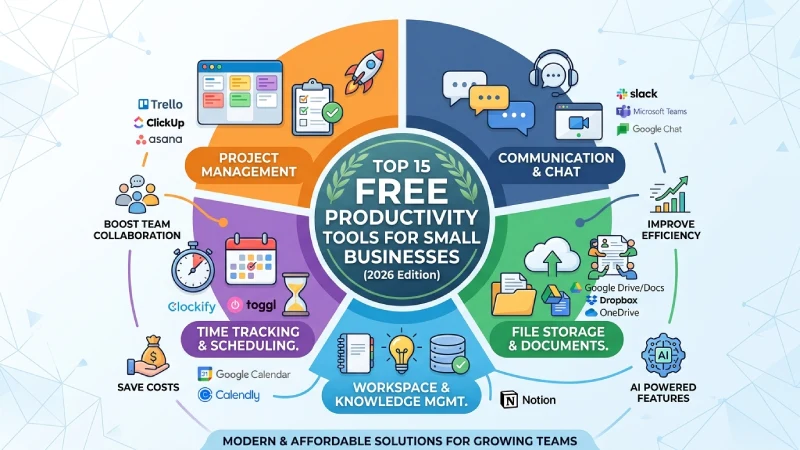
| Tool | Category | Best For | Free Plan | AI Features |
| ClickUp | Project Management | Teams | Yes | Yes |
| Trello | Project Management | Small Teams | Yes | Limited |
| Asana | Project Management | Growing Teams | Yes | Limited |
| Slack | Team Chat | Remote Teams | Yes | Limited |
| Microsoft Teams | Communication | Microsoft Users | Yes | Yes |
| Google Chat | Communication | Google Workspace | Yes | Yes |
| Google Drive | Cloud Storage | File Sharing | Yes | Yes |
| Google Docs | Documents | Collaboration | Yes | Yes |
| Dropbox Basic | Cloud Storage | File Backup | Yes | No |
| OneDrive Free | Cloud Storage | Microsoft Users | Yes | Yes |
| Clockify | Time Tracking | Freelancers | Yes | No |
| Toggl Track | Time Tracking | Agencies | Yes | No |
| Google Calendar | Scheduling | Everyone | Yes | Yes |
| Calendly | Meeting Scheduling | Professionals | Yes | Limited |
| Notion | Workspace | Knowledge Management | Yes | Yes |
15 Free Productivity Tools Every Small Business Needs in 2026
Free Project Management Tools
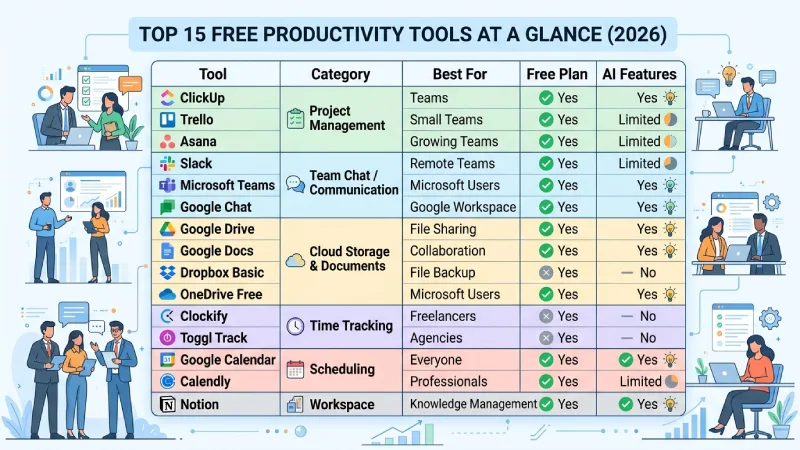
These tools for project management that can be accessed for free enable small businesses to coordinate work, allocate tasks, and track the progress of a project. Such tools facilitate teamwork and completion of projects without incurring costs.
ClickUp
What it does
ClickUp is a free project management app used to manage the process of managing tasks and organizing projects. It allows users to consolidate everything in one place and know exactly what should be done.
Best for
Small businesses, startups, and remote teams.
How to use
- Create a free ClickUp account.
- Create a workspace for your business.
- Add projects and tasks.
- Assign tasks to team members.
- Set due dates and track progress.
Trello
What it does
Trello contains boards, lists, and cards which are useful for organizing activities. The use of this software is user friendly and effective in organizing activities on a daily basis.
Best for
Small teams and beginners.
How to use
- Create a Trello board.
- Add lists such as “To Do,” “In Progress,” and “Completed.”
- Create task cards.
- Assign tasks to team members.
- Move cards as work is completed.
Asana (Free Plan)
What it does
The process through which companies can organize their tasks and deadlines through Asana is feasible.
Best for
Growing teams.
How to use
- Create a free account.
- Start a new project.
- Add tasks and deadlines.
- Assign tasks.
- Check project progress regularly.
Free Communication and Chat Tools
Good communication makes sure every team stays in touch. Free online chatting lets workers share information hold meetings send files and work together no matter where they are.
Slack
What it does
Slack is an organizational communication platform that allows for sending of messages and file sharing within the team.
Best for
Office and remote teams.
How to use
- Create a workspace.
- Invite team members.
- Create channels for different departments.
- Share files and messages.
- Use notifications for updates.
Microsoft Teams (Free)
What it does
Microsoft Teams provides services such as chat, video calling, and document collaboration.
Best for
Businesses using Microsoft 365.
How to use
- Sign in with a Microsoft account.
- Create a team.
- Invite members.
- Schedule meetings.
- Share files during discussions.
Google Chat
What it does
Google Chat makes communication and collaboration possible within Google Workspace for teams.
Best for
Google Workspace users.
How to use
- Open Google Chat.
- Create a space.
- Add team members.
- Share messages and files.
- Connect with Google Docs and Drive.
Free Document and Storage Tools
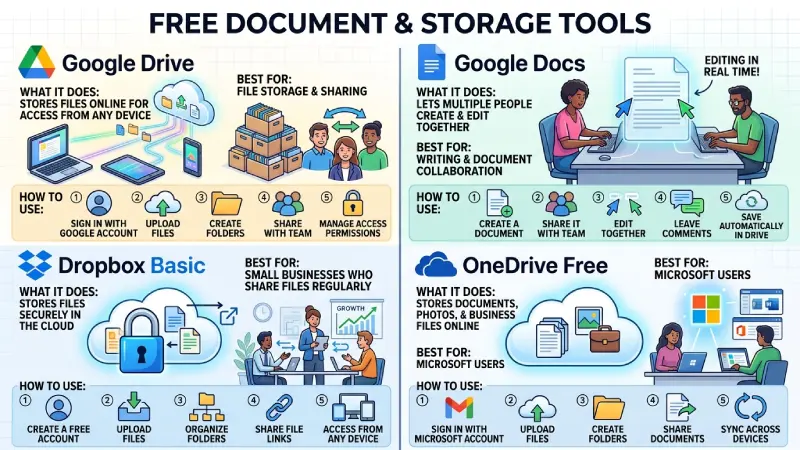
Through cloud storage and documents applications, organizations can store their documents in the cloud, work on the documents together, and access the documents from any device.
Google Drive
What it does
Google Drive Help stores files online so they can be accessed from any device.
Best for
File storage and sharing.
How to use
- Sign in with a Google account.
- Upload files.
- Create folders.
- Share files with your team.
- Manage access permissions.
Google Docs
What it does
Google Docs lets multiple people create and edit documents together.
Best for
Writing and document collaboration.
How to use
- Create a document.
- Share it with your team.
- Edit together in real time.
- Leave comments.
- Save automatically in Google Drive.
Dropbox Basic
What it does
Dropbox Basic stores files securely in the cloud and makes sharing easy.
Best for
Small businesses that share files regularly.
How to use
- Create a free account.
- Upload files.
- Organize folders.
- Share file links.
- Access files from any device.
OneDrive Free
What it does
OneDrive stores documents, photos, and business files online.
Best for
Microsoft users.
How to use
- Sign in with a Microsoft account.
- Upload files.
- Create folders.
- Share documents.
- Sync files across devices.
Free Time Tracking and Scheduling Tools
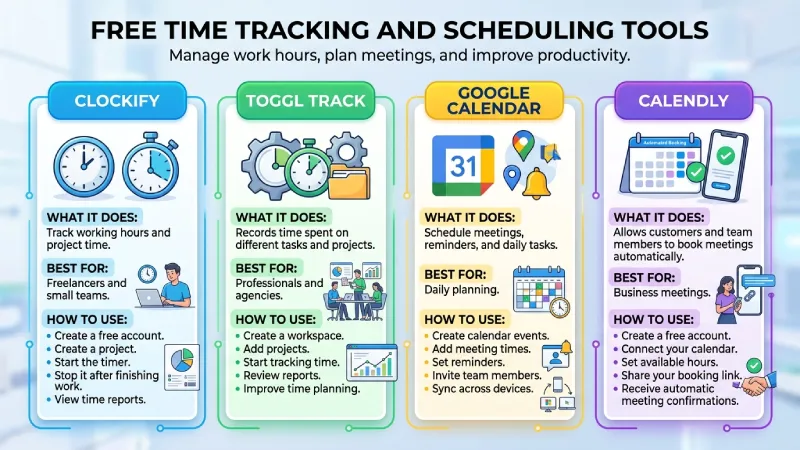
The time tracking software is used by organizations to plan their activities and organize the working hours of their employees. This simplifies their task and increases productivity.
Clockify
What it does
Clockify helps businesses track working hours and project time.
Best for
Freelancers and small teams.
How to use
- Create a free account.
- Create a project.
- Start the timer.
- Stop it after finishing work.
- View time reports.
Toggl Track
What it does
The Toggl Track tracks the time used for various activities.
Best for
Professionals and agencies.
How to use
- Create a workspace.
- Add projects.
- Start tracking time.
- Review reports.
- Improve time planning.
Google Calendar
What it does
Google Calendar is used to plan appointments, reminders, and tasks.
Best for
Daily planning.
How to use
- Create calendar events.
- Add meeting times.
- Set reminders.
- Invite team members.
- Sync across devices.
Calendly
What it does
Calendly allows customers and team members to book meetings automatically.
Best for
Business meetings.
How to use
- Create a free account.
- Connect your calendar.
- Set available hours.
- Share your booking link.
- Receive automatic meeting confirmations.
Free Workspace and Knowledge Management Tool
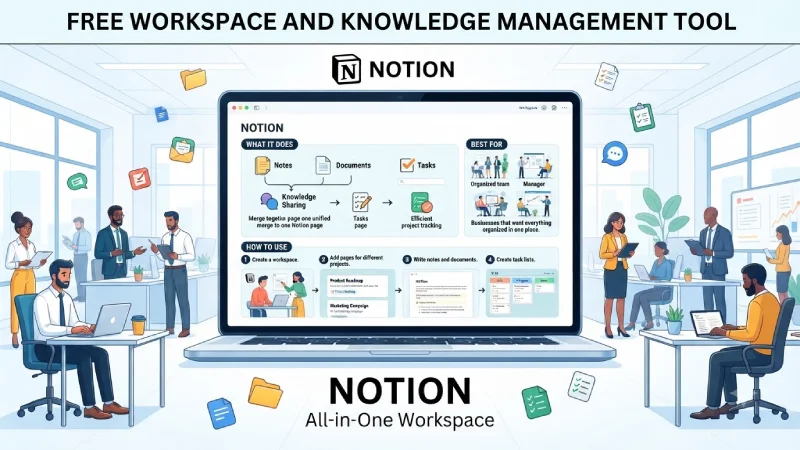
A workspace tool integrates notes, documents, tasks, and corporate data into one space. The tool ensures that the business can stay organized and easily access anything.
Notion
What it does
Notion combines notes, documents, task management, and knowledge sharing in one workspace.
Best for
Businesses that want everything organized in one place.
How to use
- Create a workspace.
- Add pages for different projects.
- Write notes and documents.
- Create task lists.
- Share pages with your team.
Free vs Paid Productivity Tools Comparison
The decision to use either free or paid productivity software will depend on your business’ size and budget. The good thing about free software is that it comes with many useful features for absolutely nothing. When your business starts growing and evolving, you will require a paid package that provides more advanced and secure features.
| Feature | Free Productivity Tools | Paid Productivity Tools |
| Cost | No monthly fee | Monthly or yearly subscription |
| Users | Small teams | Medium and large teams |
| Storage | Limited | Higher storage capacity |
| Features | Basic features | Advanced tools and automation |
| AI Features | Limited | More AI-powered features |
| Integrations | Basic integrations | More third-party integrations |
| Security | Standard security | Advanced security controls |
| Customer Support | Community or email support | Priority customer support |
| Best For | Startups, freelancers, small businesses | Growing businesses and enterprises |
Benefits of Free Productivity Tools
Free productivity applications assist small businesses in managing their daily activities without having to pay extra for anything. These tools have all the capabilities needed for project management, communication, file sharing, and tracking of activities.
Some of the main benefits include:
- Save money by reducing software costs.
- Improve teamwork and communication.
- Organize projects and daily tasks.
- Store and share files securely.
- Track working hours and project progress.
- Schedule meetings and reminders.
- Access work from any device using cloud storage.
- Try different tools before upgrading to paid plans.
- Increase productivity with simple automation features.
- Help businesses grow without a large software budget.
Tips for Choosing Free Productivity Tools
Selecting an appropriate tool for improving productivity is necessary for you to consider. In order to select such a productivity improvement tool, you need to first have an understanding of how your team functions.
Here are some useful tips:
- Use tools that are easy to learn and implement.
- Use applications with a stable free version.
- Make sure it supports both desktop and mobile platforms.
- Pick tools that integrate well with other business applications.
- Think about the cloud storage feature and file sharing option.
- Make sure your business information is safe.
- Try the application before implementing it in your team.
- Choose applications that will scale along with your business growth.
- Read reviews before purchasing any applications.
- Regularly review all your applications and remove the unnecessary ones.
How to Choose the Best Free Productivity Tool
Different organizations do not require similar software. Before you settle on which free software to use, think of your activities and what you would like to achieve through it. Project management software can be sufficient for one company, while the other requires communication and time management software among others.
When selecting a tool, consider:
- Your business size
- Number of team members
- Ease of use
- Cloud access
- Mobile app availability
- Integration with other software
- Security features
- Free plan limitations
- Customer support
- Future business growth
Using some free utilities to check them out before making any decisions will ensure the right choice.
Frequently Asked Questions
What are free productivity tools?
Free productivity software is an application that assists in carrying out various activities within an organization at no subscription cost to the business.
Are free productivity tools safe?
Almost all productivity tools offer safe cloud-based storage options and also have proper data security measures. Ensure that you activate password and two-factor authentication on the tools.
Can free productivity tools replace paid software?
For many startups and small companies, free versions will have all the necessary features. Companies that continue to grow may find themselves needing to invest in paid plans at some point.
Can multiple productivity apps be used together?
Certainly, many companies use different tools to cover project management, communication, file storing, calendar, and time tracking to form an efficient productivity system.
Conclusion
Productivity tools will help the small business to arrange all their activities, to work effectively in team, and save money. The tools for project management, communication, documents management, scheduling, and time management will make the everyday work easier. It is necessary to select the necessary tools from the very beginning and add the other tools when you need. So, the small business will be able to achieve maximum productivity and collaboration.
To take the next step, see our detailed guide on ai productivity tools 2026.
