

Introduction
Managing a small business involves managing a number of things with less time and less resources. Business activities like dealing with customers, marketing, accounting, customer service and many more can be very troublesome. AI solutions assist small businesses in automating tasks, increasing productivity, lowering costs, and making sound business decisions.
Regardless of whether you run a startup, freelance operation, or growing small business, appropriate use of AI tools will ensure that you don’t need to hire an entire team. In this article, we will look at the best AI tools for small businesses and discuss their key features, pricing, and benefits to businesses.
Small business AI tools from our AI tools for business guide.
What Are AI Tools for Small Businesses?
AI tools are computer programs using artificial intelligence for automated processes, analysis of information, creation of content, provision of customer service, and business process simplification.
Rather than wasting time on doing tedious jobs manually, business owners can use AI technology and concentrate on developing their businesses.
Why Small Businesses Need AI Tools
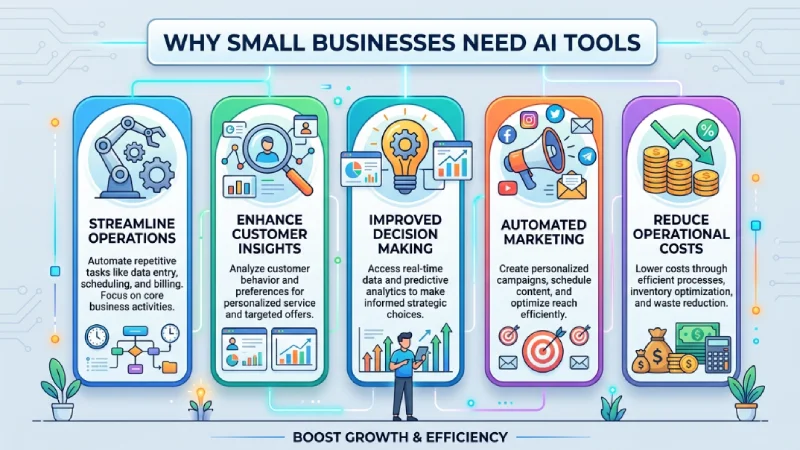
For most small businesses, funds and resources are restricted. With AI, small firms can compete with bigger companies, become more efficient and minimize the amount of manual labor involved.
Benefits
- Save time
- Reduce operating costs
- Increase productivity
- Improve customer service
- Automate repetitive tasks
- Better business insights
- Scale business faster
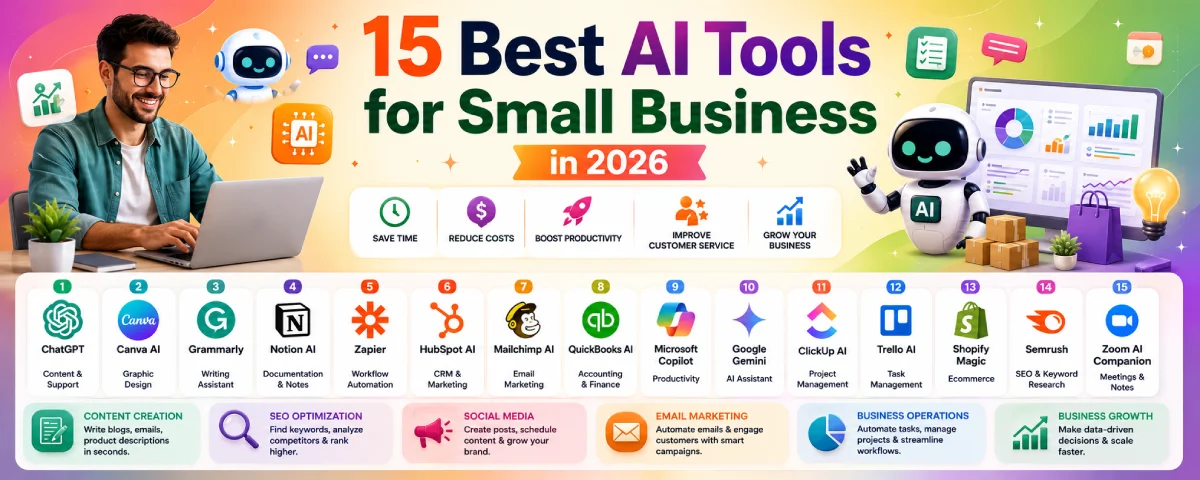
15 Best AI Tools for Small Business
| Tool | Best For | Free Plan |
| ChatGPT | Content & customer support | Yes |
| Canva AI | Graphic design | Yes |
| Grammarly | Writing assistance | Yes |
| Notion AI | Documentation | Paid |
| Zapier | Workflow automation | Yes |
| HubSpot AI | CRM & Marketing | Yes |
| Mailchimp AI | Email marketing | Yes |
| QuickBooks AI | Accounting | Trial |
| Microsoft Copilot | Productivity | Paid |
| Google Gemini | AI assistant | Yes |
| ClickUp AI | Project management | Paid |
| Trello AI | Task management | Yes |
| Shopify Magic | Ecommerce | Yes |
| Semrush | SEO | Trial |
| Zoom AI Companion | Meetings | Yes |
Comparison of the Best AI Tools for Small Businesses
| AI Tool | Best For | Starting Price | Ease of Use | Best For |
| ChatGPT | Content creation, customer support | Free | 5 Stars | All businesses |
| Canva AI | Graphic design | Free | 5 Stars | Marketing |
| Grammarly | Writing assistance | Free | 5 Stars | Content teams |
| Notion AI | Documentation & notes | Paid | 4 Stars | Teams |
| Zapier | Workflow automation | Free | 5 Stars | Automation |
| HubSpot AI | CRM & Marketing | Free | 4 Stars | Sales & Marketing |
| Mailchimp AI | Email marketing | Free | 4 Stars | Email campaigns |
| QuickBooks AI | Accounting | Trial | 4 Stars | Finance |
| Microsoft Copilot | Productivity | Paid | 4 Stars | Office users |
| Google Gemini | AI assistant | Free | 5 Stars | Research |
| ClickUp AI | Project management | Paid | 4 Stars | Teams |
| Trello AI | Task management | Free | 5 Stars | Small teams |
| Shopify Magic | Ecommerce | Free with Shopify | 4 Stars | Online stores |
| Semrush | SEO | Trial | 3 Stars | SEO professionals |
| Zoom AI Companion | Meetings | Included with plans | 5 Stars | Remote teams |
15 Best AI Tools for Small Business
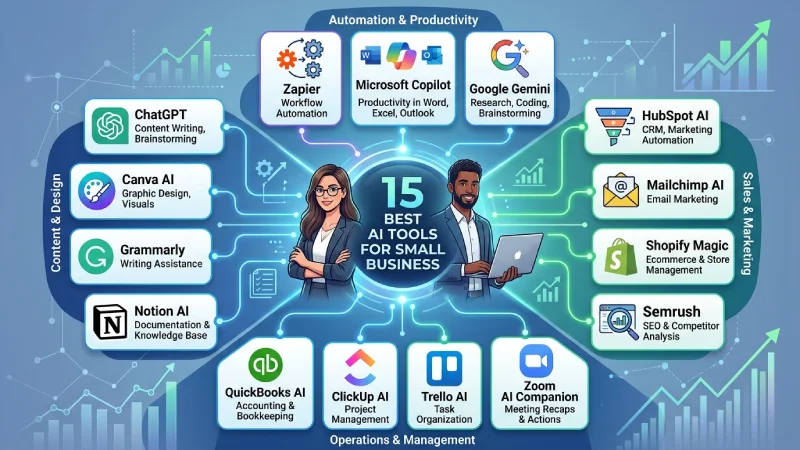
- ChatGPT
Best For: Content writing, customer support, brainstorming
Key Features:
- AI content generation
- Email writing
- Customer support
- Code assistance
Best Uses:
ChatGPT enables small enterprises to generate blog posts, emails, product descriptions, and responses to customers within less time.
Save on support with AI tools for customer service.
- Canva AI
Best For: Graphic design
Key Features:
- AI image generation
- Magic Design
- Background remover
- Social media templates
Best Uses:
The AI provided by Canva helps companies in creating graphics, social media content, presentation, and marketing material.
- Grammarly
Best For: Writing assistance
Key Features:
- Grammar checking
- Tone suggestions
- Spell checking
- AI writing assistance
Best Uses:
Grammarly helps in improving business emails, reports, blogs, and websites through the correction of their grammatical errors.
- Notion AI
Best For: Documentation
Key Features:
- AI writing
- Note summaries
- Task management
- Knowledge base
Best Uses:
Notion AI helps in keeping everything organized that has anything to do with documents, meetings, projects, and knowledge management in one place.
- Zapier
Best For: Workflow automation
Key Features:
- No-code automation
- Connect 8,000+ apps
- Multi-step workflows
- AI automation
Best Uses:
Emails, spreadsheets and synchronization of data from various apps are all done using Zapier.
- HubSpot AI
Best For: CRM & Marketing
Key Features:
- CRM management
- Email marketing
- AI content tools
- Lead management
Best Uses:
HubSpot’s AI-powered software enables companies to control their clients, marketing automation, and sales.
- Mailchimp AI
Best For: Email marketing
Key Features:
- Email automation
- AI subject lines
- Customer segmentation
- Campaign analytics
Best Uses:
Customer interactions are automated using emails from Mailchimp’s AI.
- QuickBooks AI
Best For: Accounting
Key Features:
- Invoice creation
- Expense tracking
- Financial reports
- AI insights
Best Uses:
QuickBooks AI is used for accounting, bookkeeping, invoicing, and financial reporting.
- Microsoft Copilot
Best For: Productivity
Key Features:
- Word assistance
- Excel analysis
- Outlook automation
- Meeting summaries
Best Uses:
Microsoft Copilot improves productivity across Microsoft 365 applications.
- Google Gemini
Best For: AI assistant
Key Features:
- Content generation
- Research
- Coding help
- Data analysis
Best Uses:
Google Gemini helps businesses with research, writing, brainstorming, and problem-solving.
- ClickUp AI
Best For: Project management
Key Features:
- Task management
- AI writing
- Workflow automation
- Project planning
Best Uses:
ClickUp AI helps teams manage projects, deadlines, and collaboration efficiently.
- Trello AI
Best For: Task management
Key Features:
- Task organization
- AI suggestions
- Workflow automation
- Team collaboration
Best Uses:
Trello AI helps organize projects and automate routine team workflows.
- Shopify Magic
Best For: Ecommerce
Key Features:
- Product descriptions
- Customer support
- Store management
- AI recommendations
Best Uses:
Shopify Magic helps online stores create product content and improve customer experience.
- Semrush
Best For: SEO
Key Features:
- Keyword research
- Competitor analysis
- Site audit
- Rank tracking
Best Uses:
Semrush helps businesses improve search rankings and increase website traffic.
- Zoom AI Companion
Best For: Meetings
Key Features:
- Meeting summaries
- AI notes
- Action items
- Smart recaps
Best Uses:
Zoom AI Companion automatically summarizes meetings and tracks important discussions.
Recommendation
This format is ideal because each tool includes:
- Best For
- Key Features
- Best Uses
It automatically incorporates relevant SEO terms without being repetitive with the content, and it gives valuable information to the readers.
Top Affordable AI Tools for Startups
Startups need to have tools which offer value without any extra costs.
Recommended Tools
- ChatGPT
- Canva AI
- Grammarly
- Zapier
- Google Gemini
- Trello AI
- Notion AI
Explain each tool in 2–3 sentences.
AI Tools for Small Business Marketing
Explain how AI helps with:
- Content creation
- SEO
- Social media
- Email marketing
- Customer engagement
Recommended Tools
- ChatGPT
- Canva AI
- Mailchimp AI
- Semrush
- HubSpot AI
AI Tools for Small Business Operations
AI also improves daily business operations by automating repetitive work.
Examples:
- Invoice generation
- Customer support
- Scheduling
- CRM updates
- Workflow automation
- Inventory management
Recommended Tools
- Zapier
- QuickBooks AI
- ClickUp AI
- Trello AI
- Microsoft Copilot
How to Implement AI in a Small Business
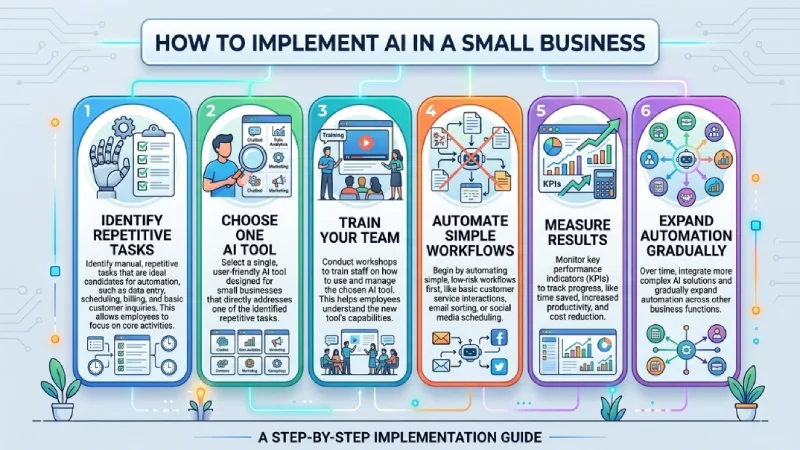
Step 1
Identify repetitive tasks.
Step 2
Choose one AI tool.
Step 3
Train your team.
Step 4
Automate simple workflows.
Step 5
Measure results.
Step 6
Expand automation gradually.
Tips for Choosing the Best AI Tool
- Define your business goals.
- Compare pricing plans.
- Check integrations.
- Look for ease of use.
- Read customer reviews.
- Test the free version first.
- Choose tools that can scale with your business.
Best AI Tools by Business Need
| Business Need | Recommended AI Tool |
| Content Writing | ChatGPT |
| Graphic Design | Canva AI |
| Email Marketing | Mailchimp AI |
| SEO | Semrush |
| Customer Support | HubSpot AI |
| Accounting | QuickBooks AI |
| Workflow Automation | Zapier |
| Project Management | ClickUp AI |
| Meetings | Zoom AI Companion |
| Ecommerce | Shopify Magic |
Common Mistakes to Avoid
- Using too many AI tools
- Ignoring employee training
- Choosing expensive tools unnecessarily
- Not protecting business data
- Skipping workflow testing
- Relying completely on AI without review
How to Choose the Right AI Tool for Your Small Business
Selecting the appropriate AI tool is based on the need of your business and the budget. First, look for repetitive jobs which take up most of the time. Then analyze their features, costs, integration capabilities, and usability. All the AI tools have a free plan or trial option for testing.
AI tools for customer service’ | ‘free AI tools for business
Consider these factors:
- Your business size
- Budget
- Ease of use
- Integration with existing software
- Customer support
- Security features
- Scalability
FAQs
What is the best AI tool for small businesses?
ChatGPT, Zapier, Canva AI, and HubSpot AI are some of the top AI tools available to small businesses since they assist in automating various processes.
Are AI solutions affordable for startups?
Yes. There are many AI solutions that provide free tiers or affordable prices specifically for startups and small companies.
Could AI assist in the development of a small business?
Yes. AI could assist in cost savings, time saving, improved customer services, automation of processes, and business development.
Should I be a programmer in order to apply AI solutions?
No. Modern AI solutions do not require programming skills.
Conclusion
The use of AI technology allows small companies to operate more efficiently through automation of processes, providing better customer support, and cutting down costs. Try out one or two applications depending on what your company requires, and then continue expanding your AI portfolio as the company develops further.
