

Introduction
The cloud computing services allow organizations to use computing resources like storage, servers, databases, applications, and network services via internet without spending on costly hardware resources. Cloud computing services allow organizations to reduce their IT costs and make them productive and grow their business effectively.
Cloud computing solutions are extensively used by organizations of all kinds for various purposes including hosting sites, data storage, application management, telecommuting, software development, among others. Cloud computing enables the organization to pay for the resources used without having to worry about the performance and security aspects of the cloud environment.
This document provides a description of cloud computing solutions, its working, the various service models, major vendors, pricing, advantages, and how to select the right cloud solution for your business.
For the overarching strategy, read our complete guide on Cloud Computing
What Are Cloud Computing Services?
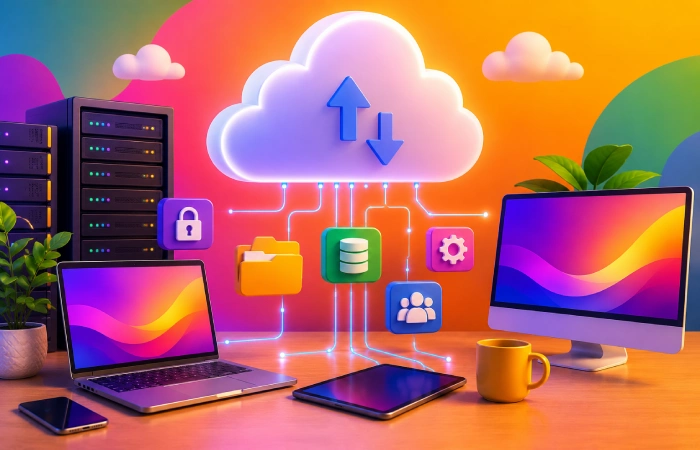
Cloud computing services are IT services available via the internet rather than through physical servers or a user’s computer. These include access to storage, servers, database, software, network, and security services anytime they are required.
Essentially, organizations lease computing capabilities from a cloud service provider rather than purchasing costly physical hardware. Therefore, firms will be able to access their programs and data wherever there is an internet connection.
The best part about cloud computing technology is that it is scalable and cost-efficient. Businesses can scale up or scale down based on the requirements without incurring any additional expenses.
Main Features of Cloud Computing Services
The most popular cloud computing services provide several key benefits which make them interesting for companies.
On-Demand Access
They are available when needed by the consumers. Corporations can easily set up their virtual servers, provide storage space, and deploy their applications without requiring any additional hardware.
Pricing Pay-
Organizations pay only for what they utilize. This will ensure that there are no extra costs on IT, which would otherwise be incurred by the company.
Scalability
The cloud platform can be increased when there is a need for more resources and decreased when there are fewer needs.
Accessibility
There is the ability to access business data from anywhere in the world through an internet connection.
Availability
Top cloud providers have various data centers that offer availability even if there is some problem with one of the locations.
Automatic Maintenance
Cloud providers perform hardware maintenance, software maintenance, monitoring of the systems, and also take care of security related activities.
In-Built Security
Nearly all cloud platforms have functionalities such as encryption, identity management, firewall, monitoring, and backup services to secure corporate data.
Why Businesses Use Cloud Computing Services
There are other purposes other than cost savings that drive organizations to use cloud computing services. These include the improvement of operational efficiency, digital transformation, and rapid response to customer demands.
Common causes for this can include:
- Lower infrastructure and maintenance costs
- Faster deployment of applications
- Easy collaboration for remote teams
- Secure data storage and automatic backups
- Better disaster recovery capabilities
- Flexible computing resources that grow with business needs
- Access to advanced technologies such as artificial intelligence and machine learning
- Reduced downtime through reliable cloud infrastructure
Due to such benefits, the cloud computing solutions have now become an integral part of businesses in sectors like healthcare, banking, education, manufacturing, retail, government, and IT.
Types of Resources Available Through Cloud Computing Services
Cloud computing services provide much more than online storage. Businesses can access a wide range of IT resources through a single cloud platform.
| Resource | Purpose |
| Cloud Storage | Store files, images, videos, and business documents securely |
| Virtual Servers | Host websites, applications, and business systems |
| Databases | Store and manage structured business information |
| Networking | Connect users, devices, and applications securely |
| Software Applications | Use productivity, accounting, CRM, and collaboration tools online |
| Backup Services | Automatically protect business data from accidental loss |
| Artificial Intelligence | Build chatbots, automate workflows, and analyze data |
| Analytics | Generate reports and business insights from large datasets |
| Security Services | Protect systems with encryption, identity management, and threat detection |
Such technologies help companies create adaptive IT ecosystems without having to buy costly equipment or manage elaborate infrastructures.
Comparing Cloud Computing Solutions to On-Premise IT Systems
Cloud computing gave rise to the removal of the necessity of firms to invest in server purchases, network equipment, license the software, and provide storage space. IT staff were also needed by companies to manage this system.
The services provided by cloud computing make this easier because they enable companies to acquire the required infrastructure from a cloud service provider through renting.
| Traditional IT | Cloud Computing Services |
| Purchase physical servers | Rent virtual computing resources |
| High upfront investment | Pay only for what you use |
| Manual software updates | Automatic updates |
| Limited scalability | Instant resource scaling |
| Hardware maintenance required | Managed by cloud provider |
| Local access only | Access from anywhere with internet |
| Longer deployment time | Rapid deployment |
Cloud computing is considered to be cheaper and more flexible solution than traditional IT infrastructure for many companies.
How Do Cloud Computing Services Work?
The way cloud computing services function involves using secure data centers where data and applications are stored and computing power is provided via the Internet. In other words, when a user uses a cloud computing service, his/her request is processed by the service’s servers and the result is returned to the user’s computer immediately.
As the cloud service providers handle everything ranging from the hardware, software, maintenance, and security, companies can concentrate on running their operations.
Step-by-Step Process
The following steps give an insight into the functioning of cloud computing services.
Step 1: Accessing the Internet
Internet connectivity is accessed through the computer, mobile, laptop or even any other internet enabled device.
Step 2: Accessing the Cloud Service
The user logs into the cloud software or requests some computing resources, like cloud storage or cloud computing.
Step 3: Request Gets to the Cloud Service Provider
The request gets forwarded in a secure manner to one of the many globally distributed data centers of the cloud service provider.
Step 4: Processing of Data
The request is then processed by high-speed cloud servers, who will fetch the data needed and perform the computations necessary.
Step 5: Delivery of Information
The processed data or cloud application is delivered back to the device of the user in just a few seconds.
The above-mentioned sequence of events takes place in an almost instant manner.
How Data Is Managed in the Cloud
The cloud services providers store the company’s information in the data centers in a very secured manner. The reason why many copies of vital information are stored is that they are distributed in various locations.
Most cloud providers also offer:
- Automatic data backups
- Data encryption
- Disaster recovery solutions
- Identity and access management
- Continuous security monitoring
- High system availability
These capabilities help firms safeguard confidential data while also maintaining the availability of their applications despite any technical glitches.
Real-World Example
Let us consider an example where a small retail business decides to create its online e-commerce website.
Instead of investing the money in acquiring servers, network hardware, and hiring an extensive IT workforce, the company opts for the cloud computing services that provide virtual servers, storage, database, security and backup services. This way, employees can run the website and process orders and access company information from anywhere.
With the growth of the company and the rise of web traffic due to holiday sales, computing resources are automatically scaled up by the cloud provider to cater for increased demand. When web traffic comes back to its regular levels, computing resources are scaled down and the company pays only for what it uses.
Flexibility is just one of the factors that have made cloud computing services crucial in modern business operations.
Types of Cloud Computing Services
The services provided by cloud computing can be broadly grouped into three main types including Infrastructure as a Service (IaaS), Platform as a Service (PaaS) and Software as a Service (SaaS).
Having knowledge about these service models will allow businesses to make a choice in favor of one of the cloud computing services.
Infrastructure as a Service (IaaS)
In Infrastructure-as-a-Service (IaaS), the computing resources of servers, storage systems, networking, and operating system are provided to the customers via the Internet. Here, it simply means that instead of buying the hardware infrastructure themselves, the companies rent it from the cloud providers.
In the case of IaaS, the cloud provider handles the hardware; whereas, the client must deal with the operating system, software, and data.
Key Features
- Virtual servers on demand
- Flexible storage options
- Networking services
- Load balancing
- Backup and disaster recovery
- Pay-as-you-go pricing
Benefits
- Lower hardware costs
- High scalability
- Faster deployment
- Greater flexibility
- Ideal for growing businesses
Limitations
- Requires technical knowledge
- Customer manages software updates
- Security configuration is partly the customer’s responsibility
Best For
- Large businesses
- Developers
- IT departments
- Website hosting
- Enterprise applications
Platform as a Service (PaaS)
The Platform as a Service (PaaS) is one of the IT services that give all computing facilities like operating system, middleware, and database for application development without being concerned with servers and operating systems.
The cloud computing service provider will handle the infrastructure, OS, middleware, and runtime environment while the developer can focus on developing their applications.
Key Features
- Application development platform
- Integrated development tools
- Database services
- API management
- Automatic updates
- Built-in scalability
Benefits
- Faster software development
- Reduced infrastructure management
- Easy collaboration
- Lower development costs
- Automatic platform maintenance
Limitations
- Less control over infrastructure
- Limited customization
- Vendor dependency
Best For
- Software developers
- Mobile app development
- Web application development
- API creation
- Agile development teams
Software as a Service (SaaS)
SaaS means Software as a Service, and this term refers to software which is provided online. The users just need to sign onto the internet service using their browsers.
There is no need for installation of any software or maintenance.
Key Features
- Browser-based access
- Automatic updates
- Subscription pricing
- Multi-user collaboration
- Built-in security
- No installation required
Benefits
- Easy to use
- Quick deployment
- Lower upfront costs
- Automatic updates
- Accessible from anywhere
Limitations
- Limited customization
- Internet connection required
- Less control over software
Best For
- Small businesses
- Remote teams
- Educational institutions
- Sales teams
- Customer support
Cloud Computing Service Models Comparison
| Feature | IaaS | PaaS | SaaS |
| Full Form | Infrastructure as a Service | Platform as a Service | Software as a Service |
| Main Purpose | Virtual infrastructure | Application development | Ready-to-use software |
| Target Users | IT teams & system administrators | Developers | End users & businesses |
| Infrastructure Management | Customer manages OS & apps | Provider manages infrastructure | Provider manages everything |
| Technical Skills Required | High | Medium | Low |
| Setup Time | Moderate | Fast | Immediate |
| Scalability | Excellent | Excellent | Excellent |
| Maintenance | Shared | Mostly provider | Fully provider |
| Cost Model | Pay-as-you-go | Subscription/usage | Subscription |
| Best For | Hosting, storage, networking | App development | Productivity software |
| Flexibility | Very High | High | Moderate |
Which Cloud Service Model Should You Choose?
The selection of the most appropriate service models will be guided by your business objectives and technical skills.
- Select IaaS if you require total management of your infrastructure and you have skilled IT professionals.
- If the objective is to deliver applications faster then choose PaaS.
- If you want to use software that is already developed without having to manage hardware or software updates, select SaaS.
Many businesses adopt a combination of all three types of services based on their specific needs. For instance, a business might adopt the IaaS service to host its websites, PaaS for developing software, and SaaS to provide email and other collaboration services.
Part 3: Top Cloud Computing Service Providers
Just like the cloud computing services, the selection of a cloud service provider is equally important and depends on many things. There are numerous cloud service providers that have different features, cost, and infrastructure. Businesses should choose cloud providers based on their own needs.
Leading Cloud Computing Service Providers
Amazon Web Services (AWS)
The Amazon Web Services (AWS) is one of the largest providers of cloud computing in the world. AWS has an extensive portfolio of cloud computing services ranging from virtual servers to storage, databases, AI, and other related services.
Best For
- Large enterprises
- Developers
- Startups
- High-performance applications
Microsoft Azure
Microsoft Azure is another cloud provider that provides its services for companies big or small. It has the ability to integrate seamlessly with Microsoft’s applications like Windows Server, Microsoft 365, and Active Directory.
Best For
- Enterprise businesses
- Microsoft-based environments
- Hybrid cloud deployments
Google Cloud
Google cloud services deal with data analysis, artificial intelligence, machine learning, and applications development. This service is extensively used by those organizations which need high-level data processing and AI support.
Best For
- AI projects
- Data analytics
- Startups
- Digital businesses
IBM Cloud
IBM Cloud is focused on hybrid cloud offerings, enterprise computing, and regulated industries like banking and healthcare.
Best For
- Financial institutions
- Healthcare
- Large enterprises
Oracle Cloud
Oracle Cloud is built for companies that depend greatly on databases, enterprise applications, and business management systems.
Best For
- Database management
- Enterprise applications
- ERP systems
Alibaba Cloud
Alibaba Cloud has a great reputation in Asia-Pacific and helps businesses expand globally.
Best For
- Asian businesses
- E-commerce
- International expansion
Cloud Provider Comparison
| Provider | Best For | Strengths | Pricing |
| AWS | Enterprises & Developers | Large service portfolio | Pay-as-you-go |
| Microsoft Azure | Microsoft users | Hybrid cloud | Usage-based |
| Google Cloud | AI & Analytics | Machine learning | Pay-as-you-go |
| IBM Cloud | Enterprise | Hybrid cloud | Flexible |
| Oracle Cloud | Database workloads | Enterprise systems | Subscription & usage |
| Alibaba Cloud | Asia-Pacific | Global expansion | Usage-based |
To take the next step, see our detailed guide on best cloud computing platforms.
How to Choose the Right Cloud Computing Service
Every firm needs different types of technology. The proper selection of cloud computing services requires careful analysis of the budget, workload, security issues, and business expansion.
Define Your Business Goals
Know your goal in using cloud computing technology.
Examples include:
- Website hosting
- Software development
- Data storage
- Backup
- Artificial intelligence
- Business applications
Evaluate Security Features
Choose providers that offer:
- Data encryption
- Multi-factor authentication
- Identity management
- Compliance certifications
- Backup services
Compare Pricing Models
Cloud providers offer different pricing structures.
Common models include:
- Pay-as-you-go
- Reserved resources
- Monthly subscription
- Enterprise agreements
Select the appropriate pricing plan that fits your requirements.
Check Scalability
Your cloud service should allow you to increase or decrease resources as your business grows.
Look for:
- Automatic scaling
- Flexible storage
- Global infrastructure
- Fast deployment
Consider Customer Support
Reliable technical support becomes important when your business depends on cloud services.
Look for:
- 24/7 support
- Knowledge base
- Live chat
- Phone support
- Service-level agreements (SLAs)
Cost of Cloud Computing Services
The price of cloud computing services is dependent upon several factors such as usage of resources, storage space, bandwidth, and extra services.
Unlike the traditional IT framework, cloud computing generally adopts the pay-as-you-go business model, whereby firms can pay for only what they use.
Factors Affecting Cloud Costs
| Cost Factor | Description |
| Storage | More storage increases monthly costs |
| Compute Power | More CPUs and memory increase pricing |
| Data Transfer | Outbound internet traffic may incur charges |
| Backup Services | Additional backups require more storage |
| Support Plans | Premium support costs extra |
| Security Services | Advanced security features may have additional fees |
Ways to Reduce Cloud Costs
Businesses can reduce cloud expenses by:
- Monitoring resource usage regularly
- Removing unused virtual machines
- Using automatic scaling
- Selecting the correct storage tier
- Choosing reserved pricing when appropriate
- Reviewing monthly billing reports
Benefits of Cloud Computing Services
Cloud computing services provide numerous advantages for organizations of every size.
Lower IT Costs
Companies are saved from buying costly hardware and avoiding maintenance expenses.
Improved Flexibility
Employees can use business apps almost anywhere.
Better Scalability
Resources can rise suddenly when there is lots going on and fall when there isn’t much going on.
Faster Deployment
Deployment of applications and services takes minutes instead of weeks.
Stronger Business Continuity
Backup systems and disaster recovery minimize downtime.
Increased Productivity
Less time is spent on hardware maintenance while more is spent on fostering business growth.
Enhanced Collaboration
Staff members can collaborate on common documents and programs from multiple locations.
Better Innovation
Businesses are provided with access to AI, analytics, automation, and current development tools without large infrastructure investments.
The use of cloud computing is still supporting organizations in becoming more efficient, cutting down expenses, and staying competitive in a digital business world.
Common Challenges of Cloud Computing Services
Despite being flexible, scalable and cost-saving, cloud computing services still face some challenges. Knowing about these challenges enables organizations to plan appropriately and steer clear of any problems that may arise when adopting cloud computing solutions.
- Data Security and Privacy
Firms usually have sensitive information stored on the cloud such as customer files, financial statements, and other confidential files. Such type of information is easily hackable when there are no proper measures to secure the information.
Solution
- Protect sensitive information using encryption.
- Ensure MFA is enabled.
- Choose strong passwords.
- Regularly monitor user access.
- Vendor Lock-In
The move of applications and data from one cloud provider to another may not always be an easy task because of the differences in platform, services, and technology. This is called vendor lock-in.
Solution
- Select vendors who are committed to open standards.
- Make plans for migrations in advance.
- Backup your business-critical data.
- Cost Management
Even though cloud computing decreases expenditure related to infrastructure, businesses may incur unforeseen costs if resources are not well-monitored.
Common causes may be:
- Unused virtual machines
- Excess storage
- High network traffic
- Premium support plans
Solution
- Monitor monthly cloud usage.
- Set budget alerts.
- Remove unused resources.
- Optimize storage regularly.
- Downtime and Service Interruptions
But there are also some drawbacks associated with cloud, and even the best companies dealing with cloud have certain problems associated with maintenance and downtime.
Solution
- Choose providers with strong Service Level Agreements (SLAs).
- Use backup and disaster recovery plans.
- Deploy applications across multiple regions if required.
- Compliance Requirements
There exist different industries that need to abide by the rules when it comes to protecting data. It is very important that a company makes sure that its cloud platform conforms to the established standards.
Examples include:
- Healthcare regulations
- Financial regulations
- Government data requirements
Solution
- Select providers with compliance certifications.
- Regularly audit cloud environments.
- Follow industry security standards.
- Internet Dependency
There should be internet connection for cloud services to operate. Poor quality of internet connection limits access to applications and business data.
Solution
- Use reliable internet providers.
- Maintain backup internet connections for critical operations.
- Enable offline features where available.
Best Practices for Using Cloud Computing Services
Abiding by best practices enables companies to enhance performance, security and value from the use of cloud computing technologies.
Plan Before Migrating
Evaluate your existing infrastructure, business needs, and application needs before going into the cloud.
Choose the Right Service Model
Choose either IaaS, PaaS or SaaS based on your skills and requirements.
Enable Strong Security
Defend the cloud infrastructure through:
- Enabling Multi-Factor Authentication
- Encrypting sensitive information
- Using strong access controls
- Regularly updating user permissions
Monitor Cloud Usage
Track resource consumption regularly to prevent unnecessary spending and improve efficiency.
Backup Important Data
However, although cloud vendors provide backups, organizations should have their own back-up policy for their data.
Train Employees
Employees must know:
- Cloud security best practices
- Password management
- Phishing awareness
- Safe file sharing
- Data protection policies
Review Performance Regularly
It is important that you evaluate your cloud computing framework regularly to make sure it meets the demands of your organization.
Cloud Computing Service Trends for 2026
The field of cloud computing is continuously evolving because of advancements and changes in technology as well as IT strategies. Below are the cloud computing trends for 2026.
Artificial Intelligence Integration
The cloud providers continue launching new AI services in order to assist companies in automating their processes, improving customer service, analyzing data, and developing smart applications.
Multi-Cloud Adoption
Today, most organizations prefer to have cloud services from several cloud vendors rather than having all their cloud services from just one vendor.
Hybrid Cloud Growth
Firms today find themselves blending private and public clouds to get the best out of both worlds.
Serverless Computing
Now developers can run their applications without having to worry about managing servers by using serverless computing.
Edge Computing Integration
Cloud computing systems are integrating with edge computing solutions to provide real-time applications, IoT devices, and intelligent manufacturing.
Green Cloud Computing
The cloud providers are making efforts toward the usage of energy-efficient data centers, sources of renewable energy, and green technologies.
Stronger Cybersecurity
Cloud security continues to improve through:
- Zero Trust Architecture
- AI-based threat detection
- Advanced encryption
- Identity and Access Management (IAM)
- Continuous security monitoring
Automation and DevOps
Automated systems make the process of deploying software easier for the companies as well as making updating applications simple and efficient.
Frequently Asked Questions (FAQs)
What are cloud computing services?
The process of cloud computing supplies computing capability through the internet in terms of storage, virtual machine, database, network, and software. Organizations do not need to purchase hardware to utilize these computing resources.
What are the three main types of cloud computing services?
The three main service types are:
- Infrastructure as a Service (IaaS)
- Platform as a Service (PaaS)
- Software as a Service (SaaS)
Each model has its own unique technical and business requirements.
Which cloud computing service is best for small businesses?
For smaller companies, it is common to utilize SaaS applications since these are easy to operate, require minimal technical skills, and are very affordable at the initial stages. In addition, more advanced companies may also consider using IaaS and/or PaaS along with SaaS.
What are the prices for cloud computing services?
The cost of the cloud depends on such factors as the amount of storage needed, computing capacity, bandwidth, security options, and customer service. Most of the cloud vendors offer flexible pricing solutions and charge companies only for what they use.
Are cloud computing services secure?
Absolutely. Most cloud service providers use security tools like encryption, firewalls, identification and access management, MFA, and backup solutions. It would be wise, therefore, for companies to embrace robust security tools in protecting their data.
Can cloud services support remote work?
Yes. The cloud computing service allows employees to access business applications and documentation from anywhere in the world through internet connectivity. This is what makes cloud computing technology suitable for use in remote or hybrid working environments.
Conclusion
Cloud computing technologies have revolutionized the management of technology within companies through provision of flexible, scalable and cost-efficient access to computer resources. With cloud computing services, firms don’t need to invest heavily in physical infrastructure to utilize such capabilities of storing data, developing software and facilitating collaboration.
Depending on whether the firm opts for IaaS, PaaS, SaaS or any other form of service, the correct cloud service will help in improving efficiency, enhancing security and lowering IT expenses. With information about service models, comparison of different providers, pricing of services and adoption of best practices, firms can make wise decisions regarding their current and future needs.
With continued advancements in cloud computing technologies due to artificial intelligence, automation, hybrid cloud computing systems and sustainable infrastructure, businesses that adopt cloud computing technologies will stay relevant in the digital economy.
