Introduction
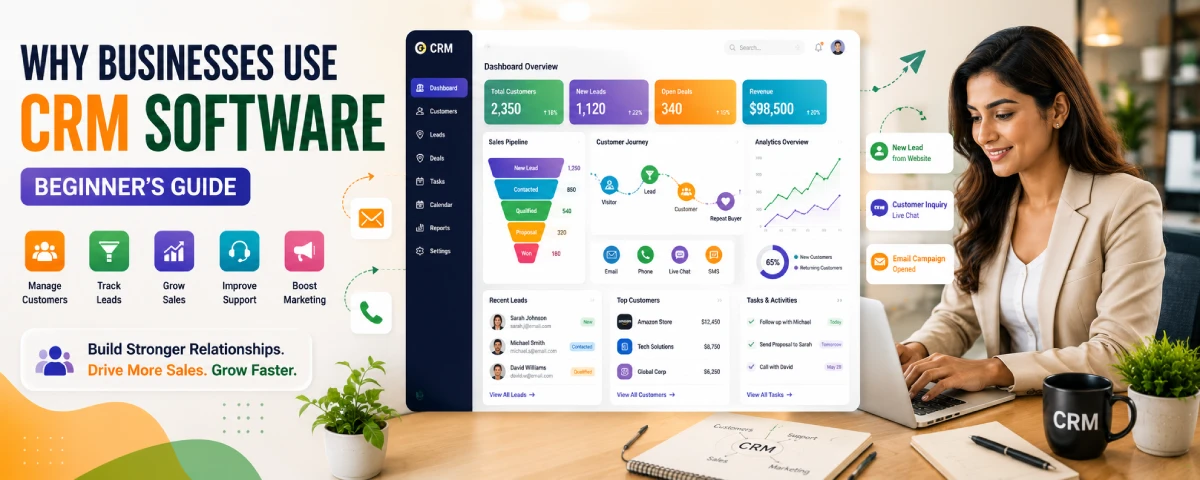
Businesses today interact with customers across multiple channels, including websites, emails, phone calls, social media, live chat, and online stores. Managing all this information manually can quickly become difficult, especially as a business grows. That is one of the biggest reasons why businesses use CRM software in 2026.
Customer Relationship Management (CRM) software helps companies organize customer information, track interactions, manage leads, improve communication, and increase sales efficiency. From startups and freelancers to global enterprises, businesses of every size rely on CRM systems to build stronger customer relationships and improve overall productivity.
For beginners, CRM software may initially sound complicated. However, modern CRM platforms are designed to simplify customer management, automate repetitive tasks, and help teams stay organized. Whether a company wants better sales tracking, improved customer support, stronger marketing campaigns, or better internal communication, CRM software provides tools to support those goals.
This beginner’s guide explains why businesses use CRM software, how CRM tools work, which departments benefit the most, and how companies can get started with CRM systems successfully.
If you are completely new to CRM technology, you may also want to read our guide on CRM Software Basics for Beginners to understand the fundamentals before exploring business use cases
Why Businesses Use CRM Software
Businesses use CRM software because customer information is one of the most valuable assets a company can have. Without proper organization, important leads, conversations, follow-ups, and customer history can easily become scattered across spreadsheets, emails, and messaging platforms.
CRM software solves this problem by centralizing all customer-related information into one system.
Centralized Customer Information
One major reason businesses adopt CRM software is to store all customer information in one place. Employees can quickly access:
- Contact details
- Purchase history
- Previous conversations
- Support tickets
- Sales activity
- Customer preferences
This eliminates confusion and improves team coordination.
Example
Imagine a customer contacts support after speaking with the sales team last week. Without CRM software, support staff may not know the previous discussion history. With CRM software, every interaction is visible in one dashboard.
This creates a smoother customer experience.
Better Customer Relationship Management
CRM systems help businesses build stronger relationships with customers by improving communication and personalization.
Businesses can:
- Send personalized follow-ups
- Track customer behavior
- Understand buying patterns
- Respond faster to inquiries
- Improve customer satisfaction
Customers appreciate businesses that remember their needs and communicate consistently.
Improved Sales Management
Sales teams use CRM software to manage leads and track sales opportunities more efficiently.
CRM systems help sales teams:
- Organize leads
- Track deal progress
- Monitor follow-ups
- Forecast sales revenue
- Automate repetitive tasks
This improves productivity while reducing missed opportunities.
Sales Workflow Example
Lead Capture → Follow-Up → Sales Call → Proposal → Conversion → Customer Retention
CRM software helps track every step of this process.
Increased Productivity
Many businesses use CRM software to automate repetitive tasks such as:
- Email reminders
- Meeting scheduling
- Follow-up notifications
- Lead assignments
- Reporting
Automation saves time and allows employees to focus on higher-value work.
For small businesses with limited staff, this productivity improvement can be extremely valuable.
Better Customer Support
Customer service teams rely on CRM software to provide faster and more consistent support.
Support agents can instantly view:
- Previous complaints
- Order history
- Communication records
- Open issues
- Customer preferences
This reduces response times and improves customer satisfaction.
Improved Marketing Campaigns
Marketing teams use CRM software to better understand customer behavior and campaign performance.
CRM platforms help marketers:
- Segment audiences
- Track campaign performance
- Analyze customer engagement
- Automate email campaigns
- Generate leads
Businesses can create more targeted marketing campaigns based on real customer data.
Better Decision Making
Modern CRM systems include reporting and analytics features that help businesses make smarter decisions.
CRM reports can show:
- Best-performing products
- Highest-converting sales channels
- Customer retention rates
- Lead conversion trends
- Team performance metrics
Businesses use these insights to improve strategy and increase profitability.
Beginner’s Guide to CRM Tools
For beginners, CRM software may seem overwhelming at first. However, most CRM systems are designed to simplify business operations rather than complicate them.
What Is a CRM Tool?
A CRM tool is software that helps businesses manage customer interactions and organize customer data.
It acts as a central hub where teams can:
- Store customer information
- Track communication
- Manage sales pipelines
- Automate workflows
- Analyze customer behavior
Main Functions of CRM Software
Most CRM platforms include several core functions.
Contact Management
Stores customer information in one location.
Lead Management
Tracks potential customers through the sales process.
Sales Pipeline Management
Shows where prospects are in the buying journey.
Task Automation
Automates repetitive business activities.
Reporting and Analytics
Provides business insights and performance tracking.
Customer Support Tools
Helps support teams manage inquiries and tickets.
Types of CRM Software
CRM systems are usually divided into several categories.
| CRM Type | Main Purpose |
| Operational CRM | Sales and workflow automation |
| Analytical CRM | Customer data analysis |
| Collaborative CRM | Team communication |
| Strategic CRM | Long-term customer relationships |
Many modern CRM systems combine multiple features from different CRM categories.
Businesses evaluating CRM solutions should also explore Types of CRM Software Explained to understand which CRM category best fits their operational needs.
To gain a deeper understanding of CRM systems and how they function, see our detailed guide on What Is CRM Software.
Who Should Use CRM Software?
Many people think CRM software is only for large corporations. In reality, businesses of almost every size can benefit from using a CRM system. In 2026, even freelancers, startups, and local businesses use CRM tools to manage customers, organize leads, and improve communication.
The good news is that modern CRM platforms are much easier to use than older business software. Many tools also offer free plans for beginners and small teams.
Solopreneurs and Freelancers
Freelancers, consultants, coaches, designers, writers, and independent professionals can use CRM software to keep track of clients and follow-ups.
A simple CRM helps them:
- Organize client details
- Track inquiries
- Schedule follow-ups
- Manage ongoing projects
- Remember renewal dates
For example, a freelance designer can store all client conversations, proposals, and payment reminders in one place instead of searching through emails.
Many beginners start with free CRM tools because they are affordable and easy to manage.
Small Businesses
Small businesses are among the biggest CRM users today. Many growing businesses still depend on spreadsheets, notebooks, or scattered emails, which becomes difficult as customer numbers increase.
CRM software helps small businesses:
- Store customer information
- Improve customer service
- Automate repetitive tasks
- Track sales opportunities
- Manage communication better
For many small business owners, CRM software improves organization without needing a large team.
Medium-Sized Businesses
As businesses grow, departments often need better coordination. Sales, marketing, and customer support teams may struggle to share information efficiently.
CRM software helps medium-sized businesses:
- Improve team collaboration
- Share customer data across departments
- Track performance metrics
- Improve workflow visibility
- Manage larger customer databases
At this stage, businesses usually look for scalable CRM platforms that can grow with the company.
Large Enterprises
Large enterprises use advanced CRM systems to manage thousands of customers, sales activities, and support operations.
Enterprise CRM platforms often include:
- AI-powered analytics
- Advanced automation
- Custom workflows
- Security controls
- Multi-department integration
- Large-scale reporting
These businesses rely heavily on CRM systems to maintain customer relationships and improve operational efficiency.
Industries That Benefit Most From CRM Software
Different industries use CRM software in different ways. Some industries depend heavily on customer communication and long-term relationships, making CRM extremely valuable.
| Industry | Why CRM Helps | Common Use Cases |
| Technology & SaaS | Manages subscriptions and sales pipelines | Customer onboarding, renewals |
| Healthcare | Improves patient communication | Appointment reminders, follow-ups |
| Education | Tracks student interactions | Admissions and enrollment management |
| Retail & Ecommerce | Supports customer retention | Personalized offers, customer tracking |
| Real Estate | Handles long sales cycles | Property inquiries and deal tracking |
| Consulting & Agencies | Manages client relationships | Proposal tracking, project communication |
| Financial Services | Organizes customer records | Policy renewals and lead management |
| Hospitality & Travel | Improves guest experience | Booking follow-ups and loyalty programs |
Which Businesses Benefit the Most?
Businesses usually benefit the most from CRM software when they:
- Handle many customer interactions
- Have growing sales teams
- Need better organization
- Want faster follow-ups
- Struggle with scattered customer data
- Need better customer retention
Even simple CRM systems can help businesses save time and improve customer relationships. As companies grow, CRM software becomes even more important for managing operations efficiently.
Cloud CRM vs Traditional CRM
Most businesses now prefer cloud-based CRM systems because they are easier to access and maintain. Cloud-based CRM adoption continues to grow as businesses seek flexible, scalable, and remotely accessible customer management solutions.
| Feature | Cloud CRM | Traditional CRM |
| Access | Online | Local servers |
| Setup Cost | Lower | Higher |
| Scalability | High | Medium |
| Maintenance | Provider-managed | Internal IT |
| Remote Access | Easy | Limited |
Cloud CRM platforms are especially popular among startups and small businesses. Learn more about the advantages and limitations of online CRM platforms in our guide to Cloud-Based CRM Software Explained.
Top Use Cases for CRM Software
CRM software can support many business activities beyond simple contact management.
Lead Tracking
Businesses use CRM systems to track leads from multiple channels, including:
- Websites
- Social media
- Ads
- Email campaigns
- Referrals
This helps businesses organize potential customers more effectively.
Sales Pipeline Management
CRM software allows sales teams to visualize the entire sales process.
Common sales stages include:
- New Lead
- Qualified Prospect
- Meeting Scheduled
- Proposal Sent
- Negotiation
- Closed Deal
This improves visibility and forecasting.
Customer Communication
CRM systems help businesses manage customer communication across multiple channels.
Businesses can track:
- Emails
- Phone calls
- Chat conversations
- Social media messages
- Meeting notes
This creates better communication consistency.
Marketing Automation
Many CRM platforms include marketing automation tools.
Businesses can automate:
- Email sequences
- Lead nurturing campaigns
- Customer onboarding
- Promotional campaigns
- Follow-up reminders
Automation improves efficiency and customer engagement.
Customer Retention
Keeping existing customers is often cheaper than finding new ones.
CRM software helps businesses improve retention through:
- Personalized communication
- Loyalty tracking
- Customer support management
- Follow-up automation
Businesses that maintain strong customer relationships often experience higher long-term revenue.
Reporting and Analytics
CRM software generates valuable business insights.
Common CRM reports include:
- Sales performance
- Lead conversion rates
- Marketing ROI
- Customer retention metrics
- Team productivity
These insights help businesses improve operations.
Departments That Benefit Most
CRM software supports multiple departments across an organization.
Sales Teams
Sales departments are among the biggest CRM users.
CRM helps sales teams:
- Track leads
- Manage deals
- Forecast revenue
- Automate follow-ups
- Improve organization
Marketing Teams
Marketing teams use CRM systems to:
- Segment audiences
- Track campaign results
- Generate leads
- Personalize communication
- Improve targeting
CRM data helps marketers create more effective campaigns.
Customer Support Teams
Support teams rely on CRM systems to improve customer service.
CRM helps support teams:
- Access customer history
- Track support tickets
- Resolve issues faster
- Improve communication
Better support often leads to higher customer satisfaction.
Management Teams
Managers use CRM reporting features to monitor business performance.
CRM dashboards provide insights into:
- Sales growth
- Team productivity
- Customer retention
- Revenue forecasting
- Marketing performance
This supports better decision-making.
Finance Teams
Some CRM systems also support invoicing, payment tracking, and customer billing information.
Finance teams may use CRM data to:
- Monitor customer payments
- Track invoices
- Analyze customer profitability
Getting Started with a CRM
Businesses do not need advanced technical skills to start using CRM software.
Step 1: Identify Business Goals
Before choosing a CRM, businesses should identify their primary goals.
Examples include:
- Improving sales
- Organizing customer data
- Automating workflows
- Improving support
- Increasing retention
Choosing the right CRM depends on these priorities. Businesses comparing different CRM options can follow our step-by-step guide on How to Choose the Right CRM Software before making a final decision.
Step 2: Choose the Right CRM Platform
Businesses should compare CRM platforms based on:
- Features
- Ease of use
- Pricing
- Scalability
- Integrations
- Customer support
Small businesses often prefer simple and affordable CRM systems.
Step 3: Import Customer Data
Most CRM systems allow businesses to import existing customer information from:
- Spreadsheets
- Email lists
- Contact databases
Organizing data correctly is important for CRM success.
Step 4: Train Employees
CRM adoption improves when employees understand how to use the system effectively.
Businesses should provide:
- Basic CRM training
- Workflow guidelines
- Usage best practices
Even simple training can improve long-term adoption.
Step 5: Start With Basic Features
Beginners should avoid using every CRM feature immediately.
It is often better to start with:
- Contact management
- Lead tracking
- Task reminders
- Basic reporting
Additional features can be added gradually.
Common CRM Mistakes Beginners Make
Many businesses make avoidable CRM mistakes during implementation.
Choosing Complex Software
Some businesses purchase advanced CRM systems with unnecessary features.
Simple platforms are often better for beginners.
Ignoring Employee Training
Employees may avoid using CRM systems if training is poor.
Poor Data Organization
Incomplete or messy data reduces CRM effectiveness.
Lack of Clear Goals
Businesses should define clear objectives before implementation.
CRM Adoption Trends (2022–2026)
| Year | CRM Adoption Trend |
| 2022 | High |
| 2023 | Very High |
| 2024 | Strong Growth |
| 2025 | Rapid Expansion |
| 2026 | Massive Adoption |
CRM software adoption continues growing because businesses increasingly rely on customer data and automation.
Benefits of CRM Software for Beginners
For beginners and small businesses, CRM software provides several advantages:
- Better organization
- Improved communication
- Faster follow-ups
- Increased productivity
- Better customer experience
- Improved sales visibility
- Stronger customer retention
Even basic CRM systems can significantly improve daily business operations.
Frequently Asked Questions
Why do businesses use CRM software?
Businesses use CRM software to manage customer relationships, organize customer data, improve sales processes, automate tasks, and provide better customer service.
Is CRM software only for large businesses?
No. Small businesses, startups, freelancers, and enterprises all use CRM software.
What departments benefit most from CRM software?
Sales, marketing, customer support, management, and finance teams often benefit the most.
Is CRM software difficult for beginners?
Most modern CRM platforms are beginner-friendly and designed for easy adoption.
What is the biggest benefit of CRM software?
One major benefit is centralized customer information, which improves communication, organization, and decision-making.
Conclusion
CRM software has become one of the most important business tools in 2026 because it helps companies manage customer relationships more efficiently. Businesses use CRM systems to organize customer data, improve communication, automate repetitive tasks, track sales opportunities, and deliver better customer experiences.
These advantages explain why CRM platforms are increasingly viewed as essential business tools. Explore the full CRM Software Benefits for Businesses guide to learn more about their long-term impact on growth and customer retention.
From lead management and marketing automation to customer support and reporting, CRM software supports multiple business functions across different departments. Small businesses benefit from improved organization and productivity, while larger organizations use CRM platforms for advanced analytics and long-term customer relationship strategies.
For beginners, getting started with CRM software does not need to be complicated. By choosing the right platform, focusing on core features, and gradually improving workflows, businesses can build stronger customer relationships and create a more scalable foundation for future growth.