

In today’s digital marketplace, a potential customer’s first impression of your business often happens on a screen. Static text and images still matter, but video is the tool that captures attention, builds trust, and drives action. For local businesses focused on long-term business growth, understanding how to create a digital marketing plan that includes video content is no longer optional—it’s essential.
A great business video doesn’t need Hollywood effects or a large budget. What matters most is authenticity. Sharing your story, showing real work, and highlighting your connection to the local community helps build credibility and turns viewers into customers. When video is used as part of a clear digital marketing plan, it becomes a powerful tool for visibility, engagement, and sustainable business growth.
If the idea of “making a marketing video” feels overwhelming, this guide is for you. We’ll break down the why and the how, giving you a clear, actionable plan to create a video that works for your business and your budget.
Table of Contents
ToggleWhy Video Marketing is a Non-Negotiable for Local Businesses
Think about how you search for a service. You likely watch a short clip before you read a long description. Your customers are the same. Here’s what a simple, effective video can do for you:
-
Boost Local SEO: Google prioritizes websites with video. Embedding a video on your “About” or services pages can improve your search ranking for terms like “Your City plumber” or “best bakery near me.”
-
Showcase Your Work: Before-and-after shots, a tour of your clean facility, or a highlight reel of a recent project prove your quality better than any written claim.
-
Build Personal Trust: A quick introduction from the owner or your team puts a friendly face to your business name, building invaluable local rapport.
-
Explain Complex Services: A 60-second animated explainer or a simple talking-head video can demystify what you do, making customers more confident in hiring you.
Your 5-Step Plan to a Professional Marketing Video
You don’t need a massive budget; you need a clear marketing strategy. Follow these steps to move from concept to a finished video that represents your brand, maintains brand consistency for business growth, and supports your overall marketing goals.
Step 1: Define Your Goal & Audience (The “Why”)
Start with the end in mind. What do you want this video to achieve?
-
Goal Examples: Get more phone calls for estimates, increase website sign-ups for a consultation, promote a new service line, or improve engagement on social media.
-
Audience: Speak directly to your ideal local customer. What are their problems? What kind of tone (professional, friendly, educational) will they respond to?
Step 2: Choose the Right Type of Video
Match the video format to your goal. Here are the most effective types for local businesses:
-
Customer Testimonial Video: A happy client sharing their positive experience is the most powerful marketing you can buy.
-
“About Us” / Team Intro: A short, welcoming video that shares your story, mission, and the people behind the business.
-
Service Explainer: Quickly show how a service works, what problems it solves, and why you’re the expert.
-
Behind-the-Scenes Tour: Showcase your workspace, your process, or an event to build transparency and familiarity.
Step 3: Plan Your Content (Keep it Short & Simple)
Great videos are planned, not improvised. For a 60-90 second video, structure it like this:
-
Hook (0-5 sec): Start with the viewer’s problem or a compelling question. “Tired of unreliable home repair?”
-
Solution (5-45 sec): Introduce your business as the solution. Show your work, state your value, and highlight what makes you different.
-
Call-to-Action (45-60 sec): Tell them exactly what to do next. “Visit our website for a free quote,” “Call us today,” or “Follow us for more tips.”
Step 4: Find the Right Local Professional to Produce It
This is the most critical step for quality. While smartphone videos have their place, a professional videographer ensures your business is portrayed with the credibility it deserves.
-
What a Local Pro Brings: High-quality audio and lighting, professional editing, a clear understanding of local marketing trends, and the skill to make you look your best on camera.
-
How to Find One: This is where a directory like becomes essential. Search for “video production services,” “commercial videographer,” or “marketing agency” in your city. Look for profiles with portfolios of local business work that match the style you envision.
Step 5: Promote Your Video
A video sitting on a hard drive does nothing. Put it to work:
-
Embed it prominently on your website’s homepage and relevant service pages.
-
Share it on your Facebook, Instagram, and LinkedIn business profiles.
-
Use it in targeted local social media ads.
-
Include a link in your email signature.
Your Next Step: Connect with a Local Video Expert
Creating an effective marketing video is an investment in your business’s growth. The fastest path to a high-quality result is partnering with a skilled local professional who can guide you through the process.
Ready to get started?
Use to find and compare local video production services, marketing agencies, and freelance videographers in your area. Check their portfolios, read reviews from other business owners, and find the perfect partner to help tell your story.
-
Local & Relevant: Every part focuses on local business needs and goals.
-
Clear User Journey: It provides value (the guide) and then seamlessly directs the reader to use your directory as the solution (Step 4).
-
Targets Commercial Intent: It attracts business owners actively searching for “video marketing for small business” or “local video production services,” who are ready to hire.
-
Builds Topical Authority: This content reinforces that your site is an expert resource on “local business marketing,” supporting your overall domain authority.
Market Your Business with Video Presentation: Tools a Local Business Can Use
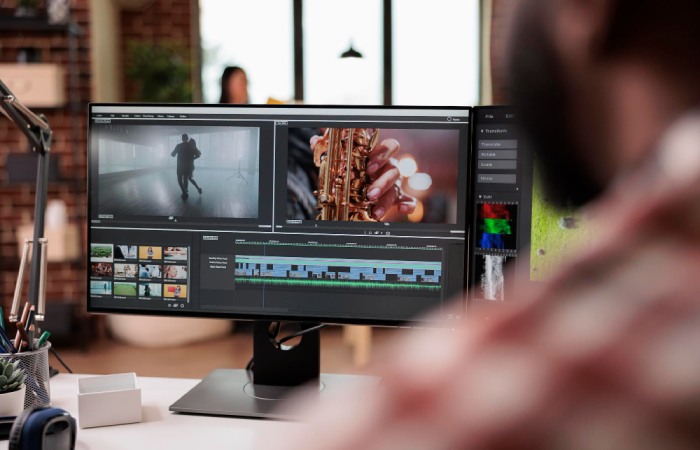
Using video presentations is one of the most effective ways for local businesses to attract customers, build trust, and showcase their services. With today’s digital tools, creating professional videos is easier than ever—even without a big budget. Below are practical tools that can help any local business improve its video marketing, including creative options like Gemini AI Photos.
1. Canva
Create beautiful video templates, intros, and marketing posters with simple drag-and-drop features.
2. CapCut
A beginner-friendly video editing tool that lets you add music, transitions, and text easily.
3. InVideo
Perfect for quickly turning content into videos using templates and an easy editor.
4. Adobe Express
Offers premium-quality video editing features and branding tools suitable for professional businesses.
5. Google Photos Video Editor
Great for small businesses that need simple tools to stitch clips together.
6. Gemini AI Photos (Creative Visual Assistant)
While not an official editing “tool,” it can help create AI-generated images and visual ideas to enhance your video presentations. Use it to:
-
Generate unique business-themed photos
-
Create visuals for thumbnails
-
Design concept scenes
-
Produce background images
-
Add creative elements to your brand videos
-
Visualize storytelling ideas
-
Support your social media graphics
-
Boost the overall look of your video content
7. Loom
Allows you to record screen and camera together—great for product demos or tutorials.
8. Animoto
Helps turn photos and short clips into polished marketing videos with minimal effort.