

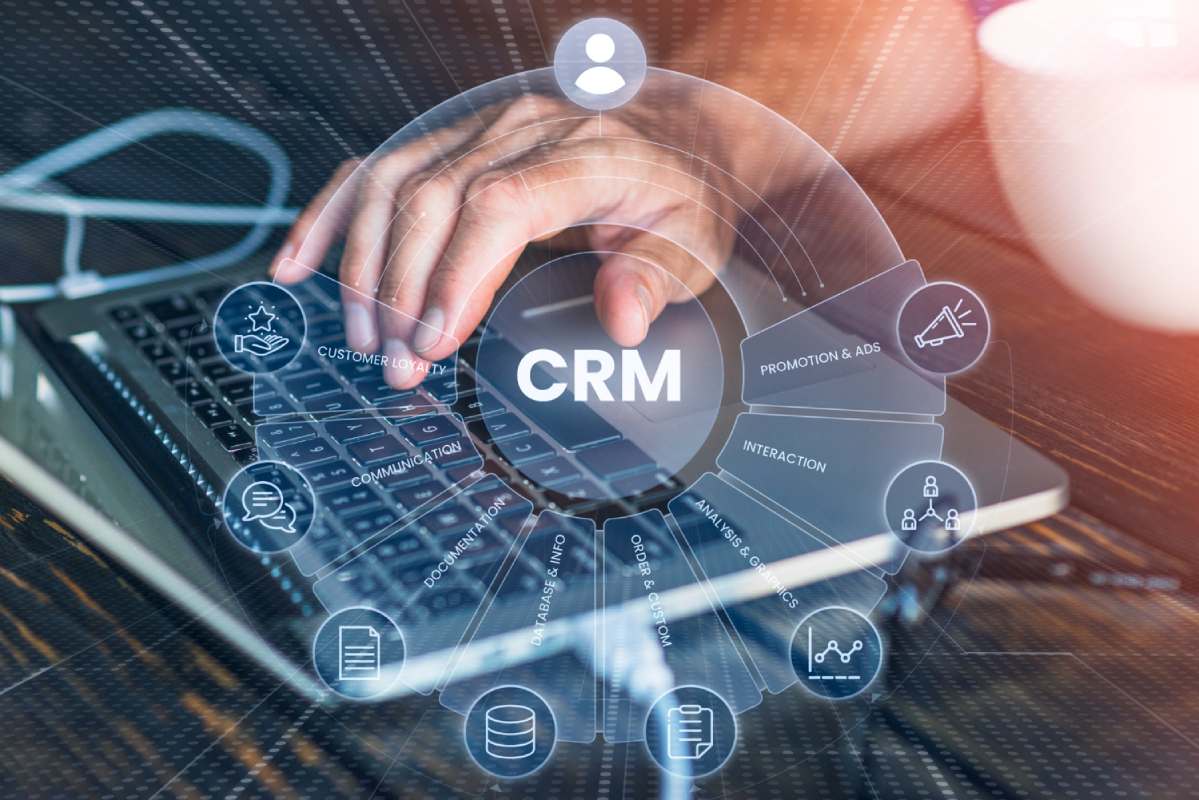
Running an SMB is indeed thrilling, but it can sometimes feel like a daunting task. The SMB owner will be tasked with managing clients, pursuing potential customers, making sales, answering emails, scheduling meetings, and growing the business among other things. As the client contacts are usually spread across Excel sheets, notebooks, emails, and even cell phones, it can become complicated.
It is because of such challenges that many SMBs are turning to CRM software. This type of software makes it easy for businesses to organize their client information, track interactions, monitor sales funnel activities, and communicate effectively.
Contrary to popular belief, SMBs can no longer ignore the importance of CRM solutions. In today’s market, it does not take millions of dollars to invest in CRM tools. Even smaller companies are now utilizing CRM software solutions to save them time, enhance customer interaction, and boost sales.
In this article, you will learn how CRM software can help your SMB, what key features to consider, mistakes to avoid, and how to pick the best solution.
What Is CRM Software?
CRM stands for Customer Relationship Management.
A CRM system is software designed to help businesses manage interactions with customers and leads. Instead of manually tracking everything, the software stores information in one organized dashboard.
A CRM can help businesses:
- store customer details,
- track communication history,
- manage sales opportunities,
- automate follow-ups,
- organize tasks,
- and monitor team performance.
For growing SMBs, this creates better organization and smoother customer management.
Why SMBs Struggle Without CRM Software
Many small businesses start by managing customer details manually. At first, spreadsheets and notes may seem enough. But as the business grows, problems usually begin to appear.
Common Problems SMBs Face
| Problem | How It Affects Business |
| Lost customer information | Missed opportunities and confusion |
| Delayed follow-ups | Lower conversion rates |
| Poor team communication | Repeated mistakes |
| No sales visibility | Hard to track progress |
| Scattered customer records | Slow customer support |
| Manual task management | Reduced productivity |
Without proper systems, businesses often spend more time managing chaos than building growth.
How CRM Software Helps Small Businesses
CRM tools help SMBs organize customer relationships more professionally.
Instead of searching through emails or spreadsheets, teams can quickly access complete customer information in seconds.
Main Benefits of CRM Software
Better Customer Organization
All customer information stays in one place, including:
- contact details,
- emails,
- purchase history,
- meeting notes,
- and follow-up schedules.
This makes communication faster and more professional.
Improved Sales Tracking
CRM systems show where every lead stands in the sales process.
For example:
| Sales Stage | Example |
| New Lead | Customer inquiry received |
| Contacted | Initial conversation completed |
| Proposal Sent | Pricing shared |
| Negotiation | Discussion ongoing |
| Closed Deal | Customer confirmed |
This visibility helps businesses avoid missing opportunities.
Faster Team Collaboration
CRM software allows employees to work together more efficiently.
Instead of asking coworkers for updates, team members can simply check the CRM dashboard.
This reduces:
- confusion,
- duplicate work,
- and communication delays.
Automated Follow-Ups
One of the biggest reasons businesses lose sales is forgotten follow-ups.
CRM automation can:
- send reminders,
- schedule emails,
- assign tasks,
- and notify sales teams automatically.
This saves time and improves consistency.
Important CRM Features SMBs Should Look For
Not every CRM tool is the same. Small businesses should focus on useful and practical features instead of overly complicated systems.
1. Contact Management
This is the foundation of every CRM.
Businesses should be able to:
- store contacts,
- organize customer profiles,
- track communication,
- and add notes easily.
Example
A small real estate company can store:
- buyer preferences,
- meeting history,
- property interests,
- and budget details.
This improves personalization during follow-ups.
2. Sales Pipeline Tracking
A visual sales pipeline helps businesses monitor deals clearly.
Teams can instantly see:
- which leads are active,
- which deals need attention,
- and which customers are ready to buy.
Why It Matters
Without pipeline visibility, sales opportunities can easily disappear.
3. Email Integration
CRM software that connects with email platforms helps businesses save time.
Benefits include:
- automatic email logging,
- conversation tracking,
- follow-up reminders,
- and better communication history.
This is especially useful for SMBs handling many customer conversations daily.
4. Automation Features
Automation reduces repetitive manual work.
Common CRM Automations
| Automation Type | Benefit |
| Follow-up reminders | Prevent missed leads |
| Lead assignment | Faster response times |
| Email campaigns | Better customer engagement |
| Task scheduling | Improved productivity |
| Status updates | Easier sales tracking |
Automation helps small teams work more efficiently without hiring extra staff.
5. Reporting and Analytics
Data helps businesses make smarter decisions.
Good CRM software provides reports about:
- sales performance,
- lead conversion,
- team productivity,
- customer behavior,
- and revenue trends.
Without reporting tools, business growth becomes harder to measure.
Cloud-Based CRM vs Traditional CRM
Many SMBs now prefer cloud-based CRM systems because they are easier to manage.
Comparison
| Feature | Cloud CRM | Traditional CRM |
| Access | Online anywhere | Office-based |
| Setup | Faster | More technical |
| Maintenance | Managed by provider | Managed internally |
| Cost | Subscription model | Higher upfront cost |
| Updates | Automatic | Manual updates |
Cloud CRM systems are usually more practical for growing SMBs.
Common CRM Mistakes SMBs Make
Many businesses buy CRM software but fail to use it properly.
Mistake 1: Choosing Overly Complex Software
Some CRM systems include advanced tools that small businesses may never use.
Complex systems often:
- confuse employees,
- slow adoption,
- and reduce productivity.
Simple and user-friendly software is often better.
Mistake 2: Poor Employee Training
A CRM only works if employees actually use it.
Without training:
- data becomes incomplete,
- communication suffers,
- and reports become unreliable.
Mistake 3: Ignoring Data Quality
Old or incorrect customer information creates problems.
Businesses should regularly:
- remove duplicate contacts,
- update customer details,
- and clean outdated records.
Mistake 4: No Clear CRM Goals
Some businesses install CRM software without clear objectives.
Before implementation, define goals such as:
| Goal | Example |
| Improve follow-ups | Respond within 24 hours |
| Increase conversions | Improve close rate by 15% |
| Better organization | Centralize customer records |
| Improve support | Faster customer responses |
Clear goals improve CRM success.
How to Choose the Right CRM for Your SMB
Choosing CRM software does not need to feel overwhelming.
Step 1: Understand Your Business Needs
Ask questions like:
- How many employees will use it?
- Do you need mobile access?
- Is automation important?
- Will customer support teams use it too?
Every business has different priorities.
Step 2: Set a Realistic Budget
CRM pricing varies widely.
Some tools charge:
- per user,
- monthly subscriptions,
- or additional fees for advanced features.
Focus on long-term value rather than only low pricing.
Step 3: Test Free Trials
Most CRM platforms offer free trials.
This helps businesses:
- explore the interface,
- test features,
- and evaluate usability before committing.
Hands-on testing is extremely important.
Step 4: Check Integration Options
CRM systems should work smoothly with existing tools such as:
- email platforms,
- accounting software,
- calendars,
- marketing tools,
- and communication apps.
Good integration improves workflow efficiency.
How CRM Software Improves Customer Experience
Customers expect fast and organized communication.
CRM systems help businesses:
- respond faster,
- personalize communication,
- remember customer history,
- and improve service quality.
Happy customers are more likely to:
- return,
- recommend the business,
- and become long-term clients.
CRM Software for Different Types of SMBs
Different industries use CRM systems differently.
Retail Businesses
Retail companies use CRM tools to:
- track customer purchases,
- send promotions,
- and manage loyalty programs.
Real Estate Businesses
Real estate agents use CRM systems to:
- track property leads,
- manage appointments,
- and organize buyer information.
Marketing Agencies
Agencies often use CRM platforms to:
- track client communication,
- manage proposals,
- and monitor campaigns.
Healthcare Clinics
Healthcare businesses may use CRM systems for:
- appointment reminders,
- patient communication,
- and service tracking.
Future CRM Trends SMBs Should Watch
CRM technology continues evolving quickly.
AI-Powered CRM Features
Artificial intelligence is becoming more common in CRM software.
AI can help businesses:
- predict customer behavior,
- identify high-quality leads,
- and automate recommendations.
Mobile CRM Access
Many SMB owners now work remotely or travel frequently.
Mobile CRM access allows teams to:
- update records,
- respond to leads,
- and manage tasks from smartphones.
Advanced Personalization
Modern CRM systems help businesses personalize communication using customer behavior data.
Personalization improves:
- engagement,
- customer loyalty,
- and conversion rates.
Why CRM Adoption Often Fails
Some businesses expect instant results after installing CRM software.
In reality, success requires:
- proper setup,
- employee adoption,
- regular usage,
- and ongoing improvements.
CRM is a long-term business tool, not a quick fix.
Simple Tips for CRM Success
Start Small
Focus on basic features first.
Do not overwhelm employees with advanced tools immediately.
Train Employees Properly
Provide:
- tutorials,
- practice sessions,
- and ongoing support.
Comfort with the system improves usage.
Review Reports Regularly
Analytics help businesses identify:
- sales problems,
- customer trends,
- and growth opportunities.
Regular review improves decision-making.
Keep Customer Data Updated
Clean and organized data makes CRM systems far more useful.
Outdated information reduces efficiency.
Mini Business Example
A small online clothing business struggled with missed customer messages and delayed follow-ups.
Before CRM:
- orders were tracked manually,
- customer communication was scattered,
- and repeat buyers were often forgotten.
After implementing CRM software:
- customer history became organized,
- automated reminders improved follow-ups,
- and customer satisfaction increased.
Within months, the business improved repeat customer engagement significantly.
Frequently Asked Questions
Is CRM software expensive for SMBs?
Not always. Many CRM systems offer affordable plans designed for small businesses.
Can small teams use CRM software?
Yes. Even businesses with only a few employees can benefit from CRM organization and automation.
Is cloud CRM better for SMBs?
In many cases, yes. Cloud systems are easier to access, maintain, and scale.
How long does CRM implementation take?
It depends on business size and complexity. Some SMBs can start within a few days.
Do CRM systems improve sales?
They can improve organization, follow-ups, and customer communication, which often helps increase conversions.
Conclusion
CRM software has become an important tool for SMBs that want better customer management, stronger organization, and improved sales performance.
Without proper systems, businesses often struggle with:
- missed follow-ups,
- scattered communication,
- poor visibility,
- and inefficient workflows.
A good CRM helps centralize customer information, improve teamwork, automate repetitive tasks, and support smarter business decisions.
The best approach for SMBs is to:
- start with practical features,
- choose user-friendly software,
- train employees properly,
- and scale gradually as the business grows.
When used correctly, CRM software can help small businesses operate more efficiently, build stronger customer relationships, and create long-term growth opportunities.